
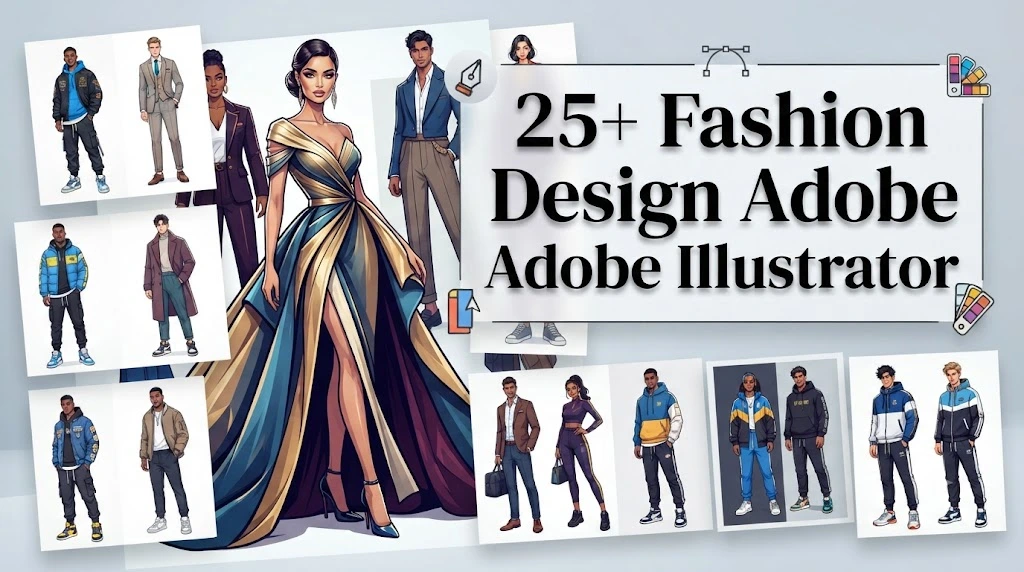
Fashion is more than fabric, colour, and trends. It is a way people express who they are, what they believe, and how they want the world to see them. Behind every beautiful outfit is a creative process where ideas slowly transform into sketches, patterns, and finished designs. For many modern designers, that creative journey begins with a powerful digital tool.
Adobe Illustrator has changed the way fashion professionals create, edit, and present their ideas. From fashion students preparing their first collections to experienced designers developing clothing lines for brands, this software helps turn imagination into accurate, professional designs.
If you have ever looked at a stylish outfit and wondered how designers create such detailed drawings, colour combinations, and technical sketches, Adobe Illustrator is often part of the answer. It allows designers to experiment freely, make quick changes, and create designs that look polished before a single piece of fabric is cut.
Learning fashion design with Adobe Illustrator is not only about mastering software tools. It is about developing a designer’s eye, understanding garment structure, improving creativity, and communicating ideas clearly. Whether you want to become a fashion illustrator, start your own clothing brand, or simply improve your design skills, Illustrator can become an important part of your creative toolkit.
In this guide, you will learn how Adobe Illustrator supports fashion design, which tools matter most, how professionals use it, common beginner mistakes, and practical tips that can help you create better digital fashion designs.
What Is Fashion Design Adobe Illustrator and Why Do Designers Use It?
Fashion design Adobe Illustrator refers to the use of Adobe Illustrator software to create digital fashion artwork, clothing illustrations, technical drawings, fashion flats, patterns, and presentation materials. Unlike traditional drawing methods, Illustrator uses vector graphics, which allow designers to resize artwork without losing quality.
Fashion designers use Illustrator because clothing designs often require accuracy. A designer may need to show stitching details, fabric textures, colour variations, or garment measurements. Digital tools make these tasks faster and easier compared with drawing every version by hand.
For example, imagine a designer creating a jacket collection. Instead of redrawing the entire jacket every time they want to test a new colour, button style, or sleeve shape, they can edit the existing Illustrator file within minutes.
Some common uses of Illustrator in fashion include:
- Creating fashion sketches and illustrations
- Designing technical flats for manufacturers
- Developing textile patterns and prints
- Creating mood boards and collection presentations
- Testing different colour combinations
- Preparing professional design portfolios
Many fashion schools and design studios teach Illustrator because it has become a valuable industry skill. A designer who understands both fashion concepts and digital design tools can communicate ideas more effectively.
However, Illustrator does not replace creativity. The software is only a tool. A strong designer still needs knowledge of body proportions, fabrics, silhouettes, trends, and customer preferences.
Expert tip: Before opening Illustrator, spend time researching your design idea. Collect fabric references, study current trends, and understand the customer you are designing for. A clear concept always creates a stronger final design.
How Adobe Illustrator Helps Fashion Designers Create Professional Designs
Fashion design requires both creativity and precision. A beautiful sketch may attract attention, but professional fashion work also needs clear details that manufacturers, clients, and team members can understand.
Adobe Illustrator helps designers bridge the gap between an artistic idea and a production-ready design.
One major advantage is accuracy. Designers can create clean lines, symmetrical shapes, and consistent details. This becomes especially important when creating garments that must be produced multiple times.
For example, a fashion designer working on a collection of handbags can create one basic shape and adjust colours, materials, and decorative elements without starting from scratch.
Illustrator supports different stages of the fashion design process:
1. Concept development
Designers often begin with inspiration from nature, architecture, culture, history, or street style. Illustrator allows them to transform these ideas into digital sketches and visual concepts.
2. Fashion illustration
Illustrators can create stylish fashion figures, experiment with poses, and showcase how garments may look when worn.
3. Technical design
Technical drawings show garment construction details. They help manufacturers understand elements such as:
- Seams
- Pockets
- Zippers
- Collars
- Sleeves
- Stitching lines
4. Collection presentation
Professional presentations help designers communicate their vision to clients, buyers, and fashion teams.
A well-organised Illustrator file can save hours of work. Designers can reuse templates, maintain colour libraries, and quickly create variations for different seasons.
A common beginner mistake is focusing only on making artwork look attractive while ignoring technical accuracy. In fashion, a design must be beautiful and practical.
Professional advice: Always think like both an artist and a manufacturer. Ask yourself, “Can someone understand how this garment should be created from my design?”
Essential Adobe Illustrator Tools Every Fashion Designer Should Learn
Adobe Illustrator has many features, but fashion designers do not need to master every tool immediately. A few essential tools can handle most fashion design tasks.
Understanding these tools creates a strong foundation for digital fashion work.
Pen Tool
The Pen Tool is one of the most important Illustrator features. Designers use it to create precise shapes, garment outlines, and clean fashion drawings.
Although beginners often find it challenging, practice makes it easier. Smooth curves are especially useful when designing sleeves, collars, dresses, and flowing fabrics.
Shape Builder Tool
The Shape Builder Tool helps designers combine or remove shapes quickly. It is useful for creating garment sections, accessories, and repeated design elements.
For example, you can combine simple shapes to create a handbag, shoe, or clothing detail.
Pathfinder Panel
The Pathfinder tool helps merge, divide, and modify objects. Fashion designers use it when creating complex illustrations from basic shapes.
Brush Tools
Brushes add artistic details and texture. They can help create:
- Fabric effects
- Hand-drawn appearances
- Decorative elements
- Sketch-style illustrations
Layers Panel
Layers keep designs organised. A professional fashion file may contain separate layers for:
- Base garment shape
- Colour options
- Stitch details
- Fabric patterns
- Accessories
Good layer management prevents confusion and makes editing easier.
Colour Swatches
Fashion relies heavily on colour psychology and seasonal palettes. Illustrator allows designers to save and organise colours for consistent collections.
Beginner tip: Do not try to learn every feature at once. Start with drawing tools, layers, colours, and basic editing. Build your skills through small projects.
How to Create Fashion Sketches in Adobe Illustrator Step by Step
Creating a digital fashion sketch may seem difficult at first, but a structured process makes it much easier. Professional designers usually follow a clear workflow rather than randomly drawing.
Here is a simple approach beginners can follow.
Step 1: Research Your Fashion Idea
Every strong design starts with inspiration. Before opening Illustrator, decide what you want to create.
Consider:
- Who will wear this design?
- What season is it for?
- What mood should it create?
- Which fabrics would work best?
For example, a summer collection may focus on lightweight fabrics, soft colours, and relaxed silhouettes.
Step 2: Create a Basic Fashion Figure
Many designers begin with a fashion figure template. This helps maintain correct proportions while focusing on the clothing design.
The figure does not need to be extremely detailed. The clothing remains the main focus.
Step 3: Draw the Garment Shape
Use the Pen Tool or Shape Tools to create the main outline. Focus on:
- Overall silhouette
- Balance
- Fit
- Movement
At this stage, avoid adding too many small details.
Step 4: Add Clothing Details
Once the shape looks correct, add design features such as:
- Buttons
- Pockets
- Pleats
- Seams
- Prints
Small details can make a simple design look professional.
Step 5: Apply Colours and Fabrics
Colour can completely change the personality of a garment. A structured blazer in black creates a different feeling from the same blazer in pastel colours.
Experiment with different combinations before choosing your final palette.
Step 6: Review and Improve
Professional designers rarely create a perfect design on the first attempt. They review, adjust, and refine their work.
Look at your design from different perspectives. Ask:
- Does the shape look balanced?
- Does the fabric choice match the design?
- Would someone actually want to wear it?
Expert styling tip: A successful fashion design combines beauty with purpose. Always consider comfort, movement, and the lifestyle of the person wearing the garment.
Fashion Illustration vs Technical Fashion Design in Adobe Illustrator
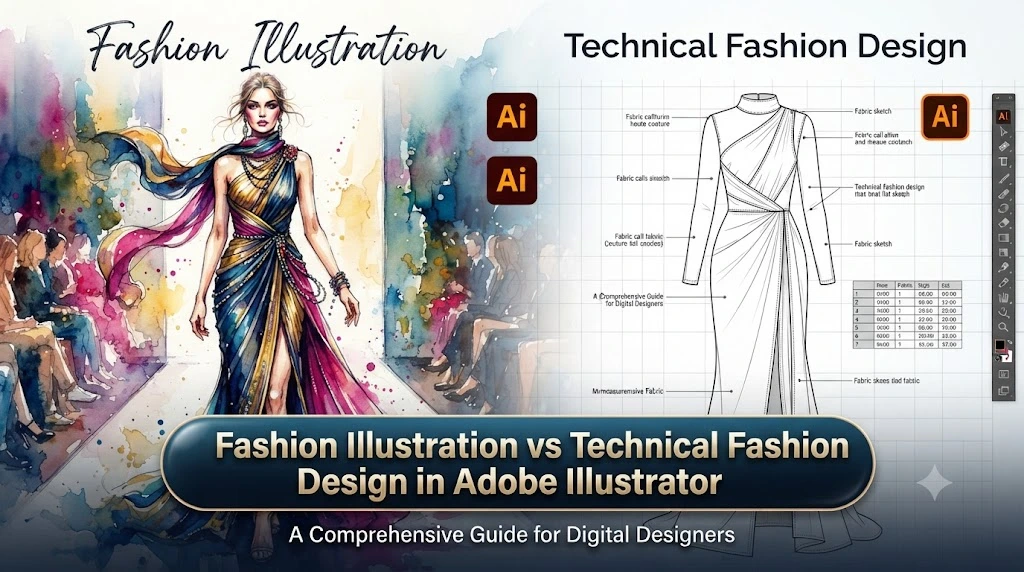
Many beginners confuse fashion illustration and technical fashion design. Although both use Adobe Illustrator, they serve different purposes.
Fashion illustration focuses on creativity and presentation. It shows the mood, personality, and visual appeal of a garment.
A fashion illustration might include:
- A stylish model pose
- Dramatic colours
- Artistic effects
- Creative backgrounds
It is often used for portfolios, marketing, and inspiration.
Technical fashion design, also called fashion flats or technical drawings, focuses on accuracy. It shows exactly how a garment should be constructed.
Technical drawings usually include:
- Front and back views
- Stitching information
- Construction details
- Measurements
- Fabric notes
For example, a fashion illustrator might create an attractive drawing of a wedding dress for a magazine. A technical designer creates detailed flats that a manufacturer uses to produce that dress correctly.
Both skills matter. A designer who understands illustration can create exciting concepts, while knowledge of technical drawings improves communication with production teams.
Many successful fashion professionals develop both abilities because they work together throughout the design process.
Common mistake: Beginners often create beautiful illustrations but forget practical details. A design should not only look impressive; it should also explain how the garment can become a real product.
fashion design adobe illustrator
How to Create Fashion Patterns and Textile Designs in Adobe Illustrator
Patterns and prints can transform a simple garment into a memorable fashion piece. A plain dress can become eye-catching with the right floral design, geometric pattern, or creative textile artwork. For this reason, many fashion designers use Adobe Illustrator to develop unique fabric patterns before production begins.
Creating textile designs digitally gives designers more control. Instead of manually drawing every repeat pattern, Illustrator allows them to create accurate, flexible designs that manufacturers can easily understand.
A typical textile design workflow includes:
- Creating the original artwork
- Editing shapes and colours
- Building repeat patterns
- Testing designs on garments
- Preparing files for production
One of the most useful features for textile designers is the Pattern Tool. It allows designers to create repeating patterns that can cover large fabric areas without visible breaks.
For example, imagine designing a summer collection inspired by tropical plants. A designer can draw individual leaves, flowers, and natural elements in Illustrator, arrange them into a pattern, and preview how the print would appear on dresses, scarves, or handbags.
Adobe Illustrator is especially useful because designers can quickly test different versions. The same pattern can appear in different colour combinations, sizes, and arrangements.
A professional designer usually creates multiple variations before choosing the final option. A small change in colour or spacing can completely change the feeling of a fabric design.
Expert tip: When designing patterns, always consider the final garment size. A large print may look beautiful on a runway gown but overwhelming on a small accessory.
Common textile design mistakes beginners make:
- Creating patterns without considering fabric limitations
- Using too many colours that make the design look confusing
- Ignoring how the pattern changes when placed on curved garments
- Designing without thinking about the target customer
A strong textile design is not only visually attractive. It should support the garment’s purpose and match the personality of the person who will wear it.
Best Adobe Illustrator Fashion Templates for Beginners and Professionals
Fashion templates help designers save time and maintain consistency. Instead of creating every fashion figure or garment outline from the beginning, designers can use templates as a foundation and focus more on creativity.
Fashion templates are commonly used for:
- Clothing sketches
- Technical flats
- Fashion portfolios
- Collection presentations
- Product development
Beginners often struggle with proportions when drawing garments. A template provides a starting point and helps them understand how clothing fits on the human body.
For example, a beginner designing a collection of jackets can use a basic jacket flat template and focus on changing:
- Collar styles
- Sleeve shapes
- Pocket designs
- Fabric details
- Colour options
Professional designers also use templates because fashion projects often require speed. When a brand needs multiple designs for a seasonal collection, reusable templates make the process more efficient.
However, templates should support creativity, not limit it.
A common mistake is using generic templates without adding personal design elements. A professional-looking design needs originality.
Recommended workflow:
- Start with a clean template.
- Adjust proportions according to your garment idea.
- Add unique design details.
- Create colour variations.
- Prepare a final presentation.
A designer’s personal style should always remain visible, even when using digital resources.
How Fashion Students Can Learn Adobe Illustrator Effectively
For fashion students, learning Adobe Illustrator can feel overwhelming at first. The software contains many tools, menus, and features, but progress becomes easier when learning follows a practical approach.
The best way to learn is through fashion-related projects rather than only studying individual tools.
Instead of spending weeks learning every button, students can practice by creating real designs.
For example:
- Design a simple T-shirt collection
- Create a handbag concept
- Develop a seasonal colour palette
- Recreate a favourite outfit digitally
- Build a mini fashion portfolio
These projects teach multiple skills at the same time.
A strong learning path usually includes:
First stage: Learn basic drawing skills
Focus on:
- Pen Tool
- Shape tools
- Selection tools
- Layers
- Colour application
These skills create the foundation for almost every fashion project.
Second stage: Practice garment details
Learn how to create:
- Seams
- Buttons
- Folds
- Fabric textures
- Stitching effects
These details make digital designs appear more realistic.
Third stage: Build professional projects
Create complete collections with:
- Mood boards
- Colour stories
- Fashion illustrations
- Technical drawings
- Presentation layouts
Students should also study real clothing. Look closely at how garments are constructed. Understanding fabric behaviour and garment structure improves digital design quality.
Expert advice: Do not only copy fashionable outfits. Study why they work. Ask yourself why a designer selected a particular silhouette, colour, or material.
This habit develops stronger creative thinking.
Adobe Illustrator Fashion Design Tips to Make Your Work Look Professional
Many beginners know the basic tools but struggle to make their designs look polished. Professional fashion artwork usually comes from small improvements rather than complicated techniques.
Here are practical tips that can improve your Illustrator fashion projects.
Keep Your Designs Organised
A messy file slows down your creative process. Use clear layers and name important elements.
For example:
- Body template
- Garment outline
- Colour options
- Fabric details
- Accessories
This makes editing faster, especially when working on large collections.
Use Consistent Line Quality
Professional fashion flats usually have clean, balanced lines. Avoid random line thickness changes unless you intentionally want an artistic effect.
Study Real Fabric Movement
Fabric does not behave the same way in every situation.
Silk creates soft flowing shapes. Denim creates stronger, structured folds. Wool creates thicker textures.
Your digital drawings should reflect these differences.
Create Multiple Colour Options
Brands often need several versions of one design. Instead of creating completely separate files, build colour variations within Illustrator.
A single jacket design may become:
- A formal black version
- A casual beige version
- A bold seasonal colour version
Use References Carefully
Fashion designers regularly study references, but professional work requires original thinking.
Use references for:
- Inspiration
- Understanding trends
- Learning construction
Avoid copying another designer’s complete concept.
Present Your Work Professionally
A good design can lose impact if the presentation looks unfinished.
Include:
- Clear backgrounds
- Balanced layouts
- Proper labels
- Consistent typography
A fashion portfolio should tell a visual story, not simply display random drawings.
Common Adobe Illustrator Mistakes Fashion Designers Should Avoid
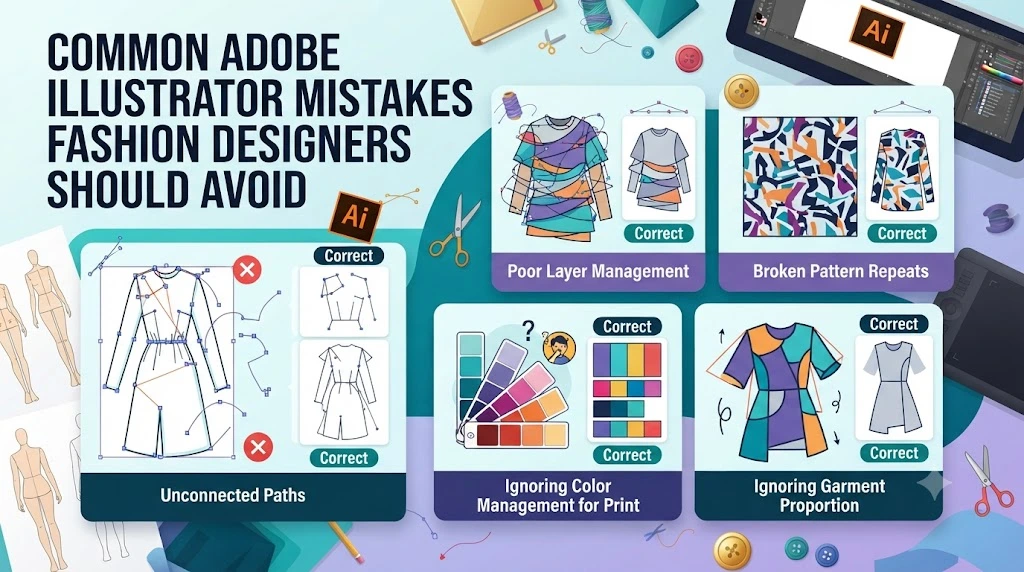
Learning digital fashion design requires patience. Many beginners make similar mistakes when starting with Adobe Illustrator.
Understanding these mistakes can help you improve faster.
Mistake 1: Focusing Only on Software Skills
Knowing Illustrator tools is important, but fashion knowledge matters more.
A designer who understands trends, fabrics, customer needs, and garment construction will create stronger work than someone who only knows software shortcuts.
Mistake 2: Ignoring Technical Accuracy
A design may look attractive but fail during production if details are unclear.
Always consider:
- How the garment will be sewn
- Where seams should appear
- How fabric will behave
- Whether the design is practical
Mistake 3: Using Too Many Effects
Illustrator offers many creative effects, but professional fashion design usually depends on clarity.
Too many shadows, textures, and decorations can distract from the garment itself.
Mistake 4: Poor File Organisation
Fashion projects often involve many versions. Without proper organisation, designers waste time searching for elements or fixing mistakes.
Mistake 5: Forgetting the Target Customer
A beautiful design is not automatically a successful design.
A luxury evening gown, sportswear outfit, and children’s clothing collection all require different design decisions.
Always ask:
Who is this design created for?
Understanding the customer helps guide choices about:
- Colours
- Materials
- Shapes
- Price positioning
- Style direction
Professional designers balance creativity with practicality. The strongest designs solve a problem while creating an emotional connection.
How Professionals Use Adobe Illustrator in the Fashion Industry
Adobe Illustrator has become an important part of modern fashion workflows. Designers, fashion brands, manufacturers, and freelancers use it at different stages of product development.
In professional environments, Illustrator is often used alongside other fashion tools and production systems.
A typical industry process may look like this:
Research and Inspiration
Designers study:
- Consumer trends
- Cultural influences
- Seasonal colours
- Market demands
They then develop a creative direction.
Digital Design Development
Designers create:
- Fashion illustrations
- Garment flats
- Print designs
- Colour variations
Team Communication
Digital files help designers communicate with:
- Pattern makers
- Manufacturers
- Buyers
- Marketing teams
Clear technical drawings reduce misunderstandings during production.
Product Presentation
Brands use professional visuals for:
- Sales meetings
- Online catalogues
- Fashion presentations
- Portfolio reviews
For freelance designers, Illustrator skills can also create career opportunities. Many professionals offer services such as:
- Fashion illustration
- Technical drawing creation
- Textile design
- Clothing concept development
However, software knowledge alone does not guarantee success. Industry professionals combine digital skills with creativity, communication, and fashion understanding.
Career tip: Build a portfolio that shows your design thinking, not just your final images. Employers and clients want to see how you develop ideas from concept to finished design.
fashion design adobe illustrator
How to Build a Fashion Portfolio Using Adobe Illustrator
A strong fashion portfolio is more than a collection of attractive images. It tells a story about your creativity, design process, and ability to solve fashion problems. Whether you are a student applying to fashion school, a freelancer looking for clients, or a designer building a personal brand, your portfolio can create a powerful first impression.
Adobe Illustrator helps designers create clean, professional portfolio pages because it provides control over layouts, illustrations, colours, and presentation details.
A well-designed fashion portfolio usually includes:
- Fashion illustrations
- Technical garment drawings
- Colour palettes
- Fabric research
- Mood boards
- Collection concepts
- Final garment presentations
The goal is not to show everything you have ever created. Instead, select work that represents your strongest skills and design personality.
For example, if your design style focuses on sustainable fashion, your portfolio should highlight natural materials, eco-friendly concepts, and thoughtful garment construction. A portfolio should make your creative direction clear within the first few pages.
Adobe Illustrator is useful because it allows you to create consistent layouts. You can maintain the same colours, fonts, spacing, and visual style throughout your portfolio.
Tips for creating a professional fashion portfolio:
Start with a clear concept
A collection feels stronger when every design connects to one idea. Random designs may show creativity, but a themed collection shows professional thinking.
Show your process
Fashion professionals value the journey behind a design. Include sketches, inspiration images, fabric choices, and development stages.
Balance artwork and information
Avoid overcrowding pages with too much text. Let your designs communicate visually while adding useful explanations.
Create technical pages
Including fashion flats and construction details shows that you understand the practical side of clothing production.
A common beginner mistake is creating a portfolio that only shows finished illustrations. While beautiful images matter, professional reviewers also want to see design knowledge and problem-solving skills.
Expert recommendation: Think of your portfolio as a conversation with the viewer. Every page should answer the question: “Why was this design created?”
Adobe Illustrator vs Photoshop for Fashion Design: Which One Should You Use?
Many new designers wonder whether they should learn Adobe Illustrator or Photoshop for fashion work. Both programs are valuable, but they serve different purposes.
Adobe Illustrator is mainly a vector-based design tool, while Photoshop focuses on pixel-based image editing.
For fashion design, Illustrator is often preferred for tasks that require accuracy and scalability.
Adobe Illustrator is best for:
- Fashion flats
- Technical drawings
- Clothing templates
- Textile patterns
- Logo and branding work
- Clean fashion illustrations
Because Illustrator uses vectors, designs can be enlarged without becoming blurry. This is useful when creating production files or presentation materials.
Photoshop is best for:
- Photo editing
- Realistic fabric effects
- Image manipulation
- Digital painting
- Fashion photography editing
Many professional designers use both programs together.
For example, a designer might create a garment illustration in Illustrator, then use Photoshop to add realistic fabric textures and lighting effects.
The choice depends on your goal.
If you want to create technical fashion drawings and production-ready designs, Illustrator should be a priority. If you want to create realistic fashion artwork or edit photos, Photoshop becomes more important.
The best approach is not choosing one forever. Many successful fashion designers build skills in both.
Common mistake: Beginners sometimes spend too much time comparing software instead of practising design skills. Tools help, but creativity, fashion knowledge, and observation create great designers.
How to Create Technical Fashion Flats in Adobe Illustrator
Technical flats are one of the most important skills in digital fashion design. They provide a clear visual explanation of how a garment should look from different angles.
Unlike fashion illustrations, technical flats are not designed to look artistic or dramatic. Their purpose is communication.
A manufacturer needs to understand exactly where details belong.
A technical flat may show:
- Front view
- Back view
- Side view
- Stitching details
- Closures
- Panels
- Seams
- Construction features
For example, a designer creating a denim jacket must clearly show the collar shape, pocket placement, button position, and stitching lines.
Adobe Illustrator makes technical flats easier because designers can create accurate shapes and maintain consistency.
A simple technical flat workflow:
1. Create the basic silhouette
Start with the overall garment shape. Focus on proportion and structure.
2. Add construction details
Include important elements such as:
- Seams
- Folds
- Buttons
- Zippers
- Decorative details
3. Create front and back views
Manufacturers usually need multiple views to understand the complete garment.
4. Add notes if needed
Professional technical sheets may include information about:
- Fabric type
- Colour codes
- Special instructions
Tips for better technical drawings:
- Keep lines clean and simple
- Avoid unnecessary artistic effects
- Use consistent measurements
- Check garment details carefully
A common mistake is making technical flats look like fashion illustrations. Remember, the purpose is clarity, not decoration.
Professional insight: A great technical flat can prevent expensive production mistakes because it gives everyone the same understanding of the design.
How to Choose Colours and Create Fashion Colour Palettes in Adobe Illustrator
Colour has the power to change how people feel about clothing. A simple silhouette can look completely different depending on the colour choices.
Fashion designers use colour psychology, seasonal trends, cultural influences, and customer preferences when developing palettes.
Adobe Illustrator helps designers organise and test colours quickly.
A professional colour development process often includes:
Research inspiration
Designers collect ideas from:
- Nature
- Art
- Travel
- Architecture
- Cultural trends
- Fashion forecasts
For example, a winter collection may use deeper shades like charcoal, burgundy, and forest green, while a summer collection may explore lighter and fresher tones.
Create a colour story
A colour palette should feel connected.
A collection may include:
- Main colours
- Supporting colours
- Accent colours
The balance creates visual harmony.
Test colours on garments
A colour that looks attractive on a colour chart may appear different when applied to clothing.
Consider:
- Fabric type
- Lighting
- Garment shape
- Customer preferences
Illustrator’s swatches and colour tools make experimentation easier.
Avoid common colour mistakes:
- Using too many unrelated colours
- Ignoring the target customer
- Following trends without considering brand identity
- Choosing colours without thinking about fabric appearance
Styling advice: A strong fashion collection usually combines familiar colours with something unexpected. A small bold accent can make an entire design feel more memorable.
How to Improve Your Fashion Design Skills With Adobe Illustrator Practice
Becoming skilled in digital fashion design requires regular practice. Watching tutorials can help, but real improvement comes from creating designs repeatedly and learning from mistakes.
The best designers continue practising even after years in the industry because fashion constantly changes.
A practical practice routine might include:
Daily sketch exercises
Spend time creating simple garment ideas. Focus on:
- Shapes
- Proportions
- Details
- Silhouettes
Recreate existing garments for learning
Study clothing you admire. Analyse:
- Why the shape works
- How the details are placed
- What makes the design attractive
Do not copy for commercial use. Use examples only to understand construction and design principles.
Create mini collections
Instead of designing one random item, create small collections.
For example:
A five-piece casual collection:
- Jacket
- Shirt
- Trousers
- Dress
- Accessory
This teaches you how different pieces work together.
Experiment with different styles
Try designing:
- Streetwear
- Formal wear
- Sportswear
- Sustainable fashion
- Traditional clothing
Exploring different areas expands your creative ability.
Review your own work
After completing a design, analyse it honestly.
Ask:
- Does this design have a clear purpose?
- Would someone want to wear it?
- Are the colours balanced?
- Are the details practical?
Growth comes from thoughtful improvement.
Expert advice: Do not measure progress only by how attractive your designs look. Measure it by how clearly you can communicate ideas and solve design challenges.
Future of Digital Fashion Design With Adobe Illustrator
Fashion continues to become more digital. Designers now use technology throughout the creative process, from initial sketches to final presentations.
Adobe Illustrator remains valuable because it supports precision, creativity, and professional communication.
Modern fashion design increasingly connects with:
- Digital clothing concepts
- Online fashion presentations
- Sustainable design processes
- Virtual styling
- Global collaboration
Design teams can share digital files instantly across countries. A designer in one location can create artwork while a production team reviews details somewhere else.
Technology also supports more sustainable practices. Designers can test colours, patterns, and garment ideas digitally before producing physical samples. This can help reduce unnecessary material waste.
However, the future of fashion will still depend on human creativity.
Software can help create shapes and organise designs, but it cannot replace personal experiences, cultural understanding, emotional storytelling, and unique artistic vision.
The most successful future designers will combine:
- Fashion knowledge
- Digital skills
- Creative thinking
- Customer understanding
- Adaptability
Learning Adobe Illustrator is not simply learning a program. It is developing a professional skill that can help bring fashion ideas into reality.
Conclusion
Fashion design continues to evolve, and digital tools have become an important part of the creative process. Adobe Illustrator gives designers the ability to transform ideas into accurate sketches, technical drawings, patterns, and professional presentations.
Whether you are a beginner learning your first design tools or an experienced creator improving your workflow, Illustrator can help you work faster and communicate your ideas more clearly.
The most important lesson is that great fashion design does not come from software alone. The strongest designers combine digital skills with creativity, observation, technical understanding, and a deep connection with the people who will wear their designs.
Start with simple projects, practise consistently, study real clothing, and keep improving your design decisions. Over time, Adobe Illustrator can become more than a tool — it can become a creative partner in your fashion journey.
Frequently Asked Questions About Fashion Design Adobe Illustrator
1. Is Adobe Illustrator good for fashion design?
Yes, Adobe Illustrator is one of the most widely used tools for digital fashion design. Designers use it for creating fashion illustrations, technical flats, textile patterns, colour variations, and professional presentations.
Its vector-based system makes it especially useful because designs can be resized without losing quality.
2. Can beginners learn fashion design using Adobe Illustrator?
Yes, beginners can learn fashion design with Adobe Illustrator. Although the software may seem complicated initially, starting with basic tools like the Pen Tool, Shape Builder, Layers, and Colour Swatches creates a strong foundation.
Regular practice with small projects helps beginners improve faster.
3. Do professional fashion designers use Adobe Illustrator?
Yes, many professional fashion designers use Adobe Illustrator in their workflow. Fashion brands, freelancers, and design studios use it for concept development, technical drawings, print designs, and portfolio creation.
4. What is the difference between fashion illustration and technical drawing in Illustrator?
Fashion illustration focuses on creativity, appearance, and storytelling. Technical drawings focus on accuracy and garment construction.
Illustrations show how a design looks, while technical flats explain how the garment should be made.
5. Can Adobe Illustrator create clothing patterns?
Yes, Adobe Illustrator can create textile patterns and surface designs. Designers use tools like the Pattern Tool, shape tools, and colour swatches to develop repeating prints for fabrics and garments.
6. How long does it take to learn Adobe Illustrator for fashion design?
The learning time depends on practice and previous design experience. Beginners can understand basic tools within weeks, but becoming confident with professional fashion workflows usually requires months of consistent practice.
7. Should fashion designers learn Illustrator or Photoshop first?
For most fashion design tasks, Illustrator is a good starting point because it helps create accurate drawings, technical flats, and scalable designs. Photoshop is also valuable later for realistic textures, image editing, and presentation enhancement.