
Fashion has always been personal. The clothes we wear tell stories about who we are, what we love, and how we want the world to see us. Today, those stories often begin on a smartphone. Whether someone is browsing the latest trends, creating outfit ideas, shopping from favourite brands, or getting styling advice, a well-designed fashion app shapes the entire experience.
The difference between an app people open once and one they use every day rarely comes down to products alone. It comes down to great design. An intuitive interface, personalised recommendations, fast navigation, and inspiring visuals can turn casual visitors into loyal users. On the other hand, even the most stylish brand can lose customers if its app feels confusing or slow.
If you’re planning a fashion app or looking to improve an existing one, understanding what users truly expect is the first step. Modern consumers want more than an online catalogue—they want convenience, inspiration, and confidence in every tap. This guide explores every important aspect of fashion app design, from user experience and visual identity to emerging technologies and proven design practices that create memorable digital experiences.
Why Fashion App Design Matters More Than Ever
The fashion industry has evolved far beyond traditional shopping. People now discover trends through social media, compare products across multiple brands, and expect seamless mobile experiences wherever they shop. This shift makes fashion app design one of the biggest factors in customer satisfaction.
A thoughtfully designed app does much more than display products. It helps users make decisions faster, builds trust, and creates emotional connections with a brand.
Good design benefits everyone involved:
- Customers find products quickly.
- Brands increase engagement.
- Shopping becomes enjoyable rather than frustrating.
- Users are more likely to return regularly.
Imagine searching for a black leather jacket. If filters are easy to use, product photos load instantly, and checkout takes only a few taps, the entire experience feels effortless. That positive impression often leads to repeat purchases.
On the other hand, poor navigation, cluttered screens, or slow loading pages can drive users away within seconds. In a competitive market, first impressions matter.
Expert tip: Every design decision should answer one question: Does this make shopping easier for the user?
Understanding Your Fashion App Users Before Designing
Successful apps begin with people, not screens. Before choosing colours, fonts, or layouts, it’s important to understand who will actually use the app.
Different audiences have different expectations. A luxury fashion shopper looks for elegance and exclusivity, while a teenager interested in streetwear may value speed, social sharing, and trend discovery.
Consider these common user groups:
- Fashion enthusiasts following seasonal trends
- Everyday shoppers looking for wardrobe essentials
- Luxury buyers seeking premium experiences
- Sustainable fashion supporters
- Professional stylists
- Boutique owners
- Online fashion retailers
Creating user personas helps designers understand:
- Shopping habits
- Budget preferences
- Favourite brands
- Mobile behaviour
- Pain points
- Purchase motivations
For example, a busy working professional might appreciate saved payment methods and personalised recommendations. Meanwhile, someone exploring fashion for inspiration may spend more time creating wish lists or browsing lookbooks.
Design becomes much more effective when it reflects real user needs instead of assumptions.
Essential Features Every Fashion App Should Include
Features determine how useful an app feels. While every project has unique goals, certain functions consistently improve user satisfaction.
A successful fashion app should include:
Smart Search
Users should find products within seconds. Predictive search, spelling correction, and category suggestions reduce frustration.
Powerful Filters
Allow filtering by:
- Size
- Colour
- Price
- Brand
- Material
- Occasion
- Customer ratings
The more relevant the filters, the easier it becomes to discover suitable products.
High-Quality Product Images
Fashion is highly visual. Users expect:
- Multiple viewing angles
- Zoom functionality
- Lifestyle photography
- Close-up fabric details
- Catwalk videos where available
High-quality visuals reduce uncertainty and improve purchase confidence.
Personalised Recommendations
Recommendation engines analyse browsing behaviour to suggest items users are likely to love.
For example:
- Matching accessories
- Similar products
- Complete outfit ideas
- Recently viewed items
- Seasonal collections
These suggestions increase both engagement and average order value.
Secure Checkout
The payment process should feel quick and trustworthy. Every unnecessary step increases the risk of abandoned baskets.
Support popular payment methods and display security indicators clearly.
Order Tracking
Customers appreciate knowing exactly where their purchase is. Real-time tracking reduces support enquiries and builds confidence.
Common mistake: Adding dozens of features before perfecting the essentials. A focused app with excellent usability often performs better than one packed with unnecessary tools.
Creating a Beautiful User Interface That Reflects Fashion
Fashion is visual storytelling, and your interface should reflect that philosophy. Every colour, icon, button, and animation contributes to the brand’s personality.
A luxury fashion app often uses clean layouts, generous spacing, and refined typography. In contrast, a fast-fashion brand may embrace vibrant colours and energetic graphics to appeal to younger audiences.
Several design principles consistently improve visual appeal:
Keep Layouts Clean
Crowded screens overwhelm users. Use whitespace to guide attention and create a premium feel.
Maintain Visual Consistency
Buttons, typography, colours, and icons should remain consistent throughout the app. Familiar patterns help users navigate with confidence.
Use Fashion-Focused Photography
Images should inspire users while accurately representing products. Natural lighting and realistic styling generally perform better than heavily edited visuals.
Choose Readable Typography
Stylish fonts can enhance branding, but readability should never suffer. Product names, prices, and descriptions must remain easy to scan.
Highlight Important Actions
Primary actions such as:
- Add to Basket
- Buy Now
- Save for Later
- View Similar Items
should stand out clearly without overwhelming the overall design.
Optimise for Mobile Comfort
Users often browse with one hand while commuting, relaxing, or shopping in-store. Buttons should be easy to tap, and navigation should require minimal effort.
Expert tip: A visually attractive interface catches attention, but an intuitive interface keeps users coming back. The best fashion apps combine both without sacrificing usability.
Using Personalisation to Create a Better Shopping Experience
Modern shoppers expect more than a catalogue of products. They want an app that understands their preferences and helps them discover styles they’ll genuinely enjoy. Personalisation is one of the most valuable elements of fashion app design because it makes every interaction feel relevant.
Think about two users opening the same app. One loves minimalist office wear, while the other prefers colourful street fashion. Showing both users the exact same homepage wastes an opportunity. Instead, the app should adapt based on browsing history, favourite brands, saved items, and previous purchases.
Here are some effective ways to personalise the experience:
- Recommend products based on past purchases.
- Display recently viewed items.
- Suggest matching accessories or complete outfits.
- Highlight favourite brands when users open the app.
- Notify users when saved items go on sale.
- Offer size recommendations based on previous orders.
Personalisation also improves customer confidence. If someone regularly buys size 10 trainers from a particular brand, reminding them of their usual size during checkout reduces hesitation.
However, avoid making recommendations feel intrusive. Users appreciate helpful suggestions, but they don’t want the app to feel like it’s tracking every move. Always give people control over notification settings and personal preferences.
Expert tip: Start with simple personalisation features and improve them as more customer data becomes available. Accurate recommendations build trust over time.
Designing a Seamless Fashion Shopping Journey
A beautiful interface means very little if users struggle to complete basic tasks. One of the biggest goals of fashion app design is creating a smooth journey from product discovery to purchase.
Every extra tap, confusing screen, or unnecessary form increases the chance that users will leave without buying anything.
A typical shopping journey should look like this:
- Discover products through search, categories, or recommendations.
- Browse collections with clear filters.
- View detailed product pages.
- Add favourite items to the basket or wishlist.
- Complete checkout quickly.
- Receive order confirmation and tracking updates.
Each step should feel natural and require as little effort as possible.
Improve Product Pages
Product pages should answer every question a shopper might have. Include:
- Multiple high-resolution images
- Detailed product descriptions
- Fabric information
- Available colours
- Size guides
- Customer reviews
- Care instructions
- Delivery estimates
When shoppers find all the information they need in one place, they are less likely to leave the app to search elsewhere.
Simplify Navigation
Navigation should always be predictable. Most successful fashion apps include:
- A bottom navigation bar
- Easy-to-find search
- Clear product categories
- Visible shopping basket
- Accessible user profile
Users should never wonder where to tap next.
Speed Up Checkout
A complicated checkout process remains one of the biggest reasons for abandoned carts.
Reduce friction by offering:
- Guest checkout
- Saved delivery addresses
- Multiple payment options
- Auto-filled information
- Progress indicators
- One-page checkout where possible
The faster customers complete their purchase, the higher the conversion rate.
Reduce Cart Abandonment
Many shoppers add products to their basket but never complete payment.
Helpful reminders include:
- Low stock notifications
- Price drop alerts
- Saved baskets across devices
- Limited-time promotions
- Free shipping thresholds
These gentle reminders encourage users to return without feeling pressured.
Common mistake: Asking users to create an account before they can browse or make a purchase. Let people experience the app first, then encourage registration by highlighting benefits like wishlists, faster checkout, and personalised recommendations.
Choosing the Right Colours, Typography, and Visual Identity
Visual identity is one of the first things users notice. Strong branding makes an app instantly recognisable and helps create an emotional connection with customers. In fashion app design, every visual element should support the brand’s personality while keeping the interface clean and easy to use.
Build a Consistent Colour Palette
Colours influence how users perceive a brand.
For example:
- Black and white create a timeless, luxury feel.
- Neutral tones communicate elegance and simplicity.
- Bold colours suit youthful or streetwear brands.
- Pastel shades often work well for beauty and lifestyle fashion.
Limit your primary colour palette to a few complementary colours. Too many bright colours can make the interface feel cluttered and distract users from the products.
Select Readable Typography
Typography should reflect the brand while remaining easy to read. Headlines can be stylish, but product names, prices, and descriptions should always prioritise clarity.
Use font sizes and spacing that make browsing comfortable on both small and large mobile screens.
Let Product Images Shine
Fashion shoppers make decisions visually. Product photography should always take centre stage.
Use:
- Bright, high-resolution images
- Consistent lighting
- Multiple product angles
- Lifestyle photos showing real-world use
- Zoom functionality for fabric details
Avoid excessive decorative elements that compete with product images for attention.
Maintain Brand Consistency
Every screen should feel like part of the same experience. Consistent buttons, icons, colours, and spacing help users navigate confidently and strengthen brand recognition.
Expert tip: The most successful fashion apps don’t overwhelm users with flashy effects. They create a polished environment where the products remain the main focus.
Improving User Experience (UX) in Fashion App Design
A visually stunning app may attract users, but user experience (UX) determines whether they stay. Great UX removes obstacles, helps shoppers complete tasks effortlessly, and makes every interaction enjoyable. In fashion app design, even small improvements can have a significant impact on customer satisfaction and sales.
Make Navigation Effortless
Users should never feel lost. Organise products into logical categories and use familiar navigation patterns so people can find what they need without thinking too much.
Good navigation includes:
- Clear category labels
- Sticky search bar
- Easy-to-access shopping cart
- Simple profile section
- Breadcrumb navigation where appropriate
When navigation feels intuitive, users spend more time exploring products instead of figuring out how the app works.
Design for Speed
Mobile shoppers expect pages to load almost instantly. Slow performance creates frustration and often leads to abandoned sessions.
Improve speed by:
- Compressing images without losing quality
- Loading content progressively
- Caching frequently viewed products
- Reducing unnecessary animations
- Optimising server response times
A fast app not only improves the shopping experience but also builds trust in the brand.
Create Accessible Experiences
Fashion should be accessible to everyone. Inclusive design ensures people with different abilities can comfortably use your app.
Consider adding:
- High colour contrast
- Adjustable text sizes
- Screen reader compatibility
- Descriptive image alt text
- Large tap targets
- Voice search support
Accessibility improvements often benefit all users, not just those with disabilities.
Minimise User Frustration
Every unnecessary step increases the chance of losing a customer. Look for opportunities to simplify interactions.
For example:
- Remember user preferences.
- Save shopping carts automatically.
- Allow easy password recovery.
- Offer clear error messages.
- Display loading indicators when necessary.
Expert tip: Test the app with real users before launching. Watching someone use the app often reveals usability issues that designers and developers overlook.
Leveraging AI and Emerging Technologies in Fashion Apps
Technology is transforming the way people shop for clothing. Today’s users expect intelligent features that make shopping faster, more personalised, and more enjoyable. Integrating modern technology into fashion app design can help brands stand out in a competitive market.
AI-Powered Recommendations
Artificial intelligence analyses browsing habits, purchase history, and user preferences to recommend relevant products.
Examples include:
- Suggested outfits
- Similar product recommendations
- Seasonal collections
- Trending styles
- Personalised homepages
The better the recommendations, the more likely users are to discover products they genuinely want.
Virtual Try-On
One of the biggest challenges in online fashion shopping is imagining how an item will look when worn.
Virtual try-on technology helps users:
- Preview clothing
- Test sunglasses
- Try different makeup shades
- Visualise accessories
- Compare colour options
This feature reduces uncertainty and can lower product return rates.
AI Styling Assistants
Many fashion apps now include digital styling assistants that offer outfit suggestions based on user preferences.
These assistants can recommend:
- Clothing combinations
- Seasonal wardrobes
- Event-specific outfits
- Capsule wardrobe ideas
- Matching accessories
Instead of replacing human stylists, these tools provide quick inspiration whenever users need fashion advice.
Smart Search
Traditional keyword searches often fail when users don’t know exactly what they’re looking for.
Modern AI-powered search supports:
- Image search
- Voice search
- Natural language queries
- Visual similarity search
- Predictive suggestions
For example, a user could upload a photo of a jacket and instantly find similar styles available within the app.
Predictive Analytics
Brands can use predictive analytics to understand shopping behaviour and improve customer experiences.
Useful insights include:
- Popular categories
- Seasonal buying patterns
- High-performing products
- Customer lifetime value
- Inventory demand forecasting
These insights help businesses make better design and merchandising decisions.
Common mistake: Adding AI features simply because they’re trendy. Every technology should solve a genuine customer problem rather than complicating the shopping experience.
Testing, Optimising, and Measuring Fashion App Performance
Launching an app is only the beginning. Successful fashion app design requires continuous testing and improvement based on real user behaviour. Small adjustments can significantly increase engagement, conversions, and customer loyalty over time.
Conduct Usability Testing
Observe how real users interact with the app. Pay attention to where they hesitate, become confused, or leave the shopping journey.
Ask participants to complete tasks such as:
- Find a specific product.
- Add an item to the wishlist.
- Apply filters.
- Complete a purchase.
- Track an existing order.
The feedback often uncovers issues that internal teams may miss.
Perform A/B Testing
Instead of relying on assumptions, compare two versions of a feature to see which performs better.
You can test:
- Button colours
- Homepage layouts
- Product image sizes
- Checkout flow
- Promotional banners
- Call-to-action text
Even minor design changes can improve conversion rates.
Monitor Key Performance Indicators (KPIs)
Track meaningful metrics to understand how users interact with the app.
Important KPIs include:
- Daily active users
- Session duration
- Product page views
- Add-to-cart rate
- Conversion rate
- Cart abandonment rate
- Customer retention
- Average order value
- App uninstall rate
Reviewing these metrics regularly helps identify both strengths and areas for improvement.
Listen to Customer Feedback
User reviews provide valuable insights into what customers appreciate and what frustrates them.
Encourage feedback through:
- In-app surveys
- App store reviews
- Customer support interactions
- Social media comments
- Email questionnaires
Responding to feedback demonstrates that the brand values its customers and is committed to improving the experience.
Keep Improving
Fashion trends evolve quickly, and user expectations change just as fast. Regular updates help the app stay fresh, secure, and competitive.
Focus on:
- Fixing reported bugs
- Improving loading speed
- Updating visual design
- Adding useful features
- Refining personalisation
- Enhancing security
Expert tip: Treat your app as a living product. The most successful fashion brands continually analyse user behaviour, test new ideas, and refine the experience instead of considering the app “finished” after launch.
Future Trends Shaping Fashion App Design
The fashion industry continues to evolve, and mobile apps are evolving with it. Consumers now expect experiences that feel personalised, interactive, and effortless. Businesses that embrace emerging trends in fashion app design will be better positioned to attract and retain loyal customers.
Sustainable Shopping Features
Sustainability has become a major consideration for many shoppers. Fashion apps can support eco-conscious purchasing by providing transparent information about products.
Useful sustainability features include:
- Material sourcing details
- Carbon footprint estimates
- Recycling programmes
- Second-hand marketplaces
- Repair services
- Eco-friendly product filters
These features help users make informed purchasing decisions while strengthening trust in the brand.
Social Commerce
People increasingly discover fashion through social platforms. Integrating social features directly into an app encourages engagement and inspiration.
Examples include:
- User-generated outfit galleries
- Customer style photos
- Influencer collections
- Shareable wishlists
- Live shopping events
- Community styling challenges
When customers see real people wearing products, they often feel more confident about making a purchase.
Voice and Conversational Shopping
Voice assistants and conversational AI are making product discovery easier than ever.
Instead of typing long search queries, users can simply say:
- “Show me black ankle boots.”
- “Find summer dresses under £80.”
- “Recommend business casual outfits.”
Natural conversations make shopping feel quicker and more accessible.
Augmented Reality Shopping
Augmented Reality (AR) continues to improve online shopping by allowing users to visualise products before purchasing.
Future AR experiences may include:
- Full-body outfit previews
- Virtual fitting rooms
- Personal wardrobe planning
- Mix-and-match styling
- Interactive fashion shows
These technologies bridge the gap between physical and digital shopping experiences.
Smarter Loyalty Programmes
Traditional reward systems are evolving into personalised loyalty experiences.
Modern fashion apps can reward users for:
- Regular purchases
- Writing reviews
- Sharing outfits
- Referring friends
- Sustainable shopping habits
- Completing style profiles
These programmes encourage long-term engagement rather than one-time purchases.
Expert tip: Adopt new technologies only when they provide genuine value. A feature that simplifies shopping will always outperform one that simply looks impressive.
Common Fashion App Design Mistakes to Avoid
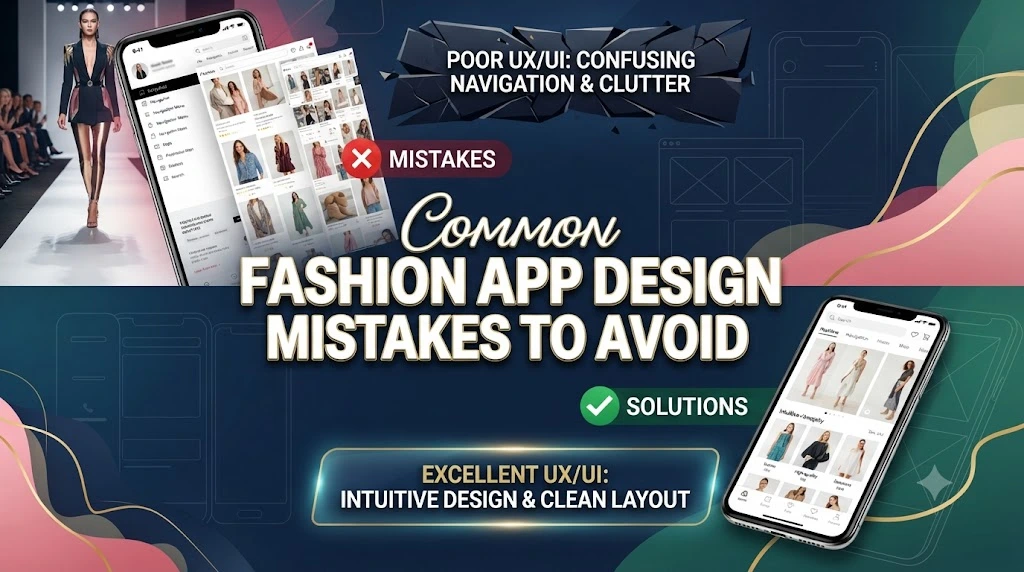
Even experienced teams can make design decisions that negatively affect the user experience. Recognising these common mistakes early can save both time and development costs.
Overcrowded Interfaces
Trying to display too much information on one screen overwhelms users.
Instead:
- Prioritise essential content.
- Use whitespace effectively.
- Break complex tasks into simple steps.
- Highlight one primary action per screen.
Clean layouts improve both usability and visual appeal.
Ignoring Mobile-First Design
Many users shop exclusively on smartphones. Designing for desktop first often leads to poor mobile experiences.
A mobile-first approach focuses on:
- Comfortable thumb navigation
- Readable text
- Fast loading times
- Optimised images
- Simple interactions
Complicated Registration
Forcing users to create an account before exploring products creates unnecessary friction.
Offer:
- Guest browsing
- Guest checkout
- Social login options
- Quick account creation after purchase
This approach improves conversion rates while still encouraging future registrations.
Poor Search Functionality
If customers cannot find products quickly, they may leave the app.
Invest in:
- Predictive search
- Spelling correction
- Synonym recognition
- Popular search suggestions
- Image-based search
Search should guide users toward products rather than becoming another obstacle.
Inconsistent Branding
Using different colours, fonts, or button styles across screens creates confusion and weakens brand recognition.
Maintain consistency by using a clear design system that defines:
- Colours
- Typography
- Icons
- Buttons
- Spacing
- Components
A consistent interface feels more professional and trustworthy.
Neglecting User Feedback
Ignoring reviews and support requests prevents continuous improvement.
Regularly analyse:
- App store ratings
- Customer complaints
- Feature requests
- Session recordings
- Survey responses
Small improvements based on real feedback often produce the biggest gains in user satisfaction.
Conclusion
A successful fashion app design is about much more than attractive visuals. It combines beautiful branding with intuitive navigation, fast performance, intelligent personalisation, and a seamless shopping journey that keeps users engaged from the moment they open the app until long after they complete a purchase.
Whether you’re building a fashion marketplace, a luxury retail platform, a boutique shopping app, or a personal styling service, every design decision should focus on solving real user problems. Simple navigation, high-quality product images, secure checkout, thoughtful recommendations, and responsive customer support all contribute to an experience that feels effortless and enjoyable.
As technology continues to evolve, features such as AI-powered styling, virtual try-ons, augmented reality, and sustainability tools will become increasingly important. However, the foundation of every successful fashion app remains the same: understand your audience, prioritise usability, and continuously improve based on customer feedback.
When design and functionality work together, a fashion app becomes more than a shopping tool—it becomes a trusted style companion that users return to again and again.
Frequently Asked Questions
1. What is fashion app design?
Fashion app design is the process of creating mobile applications for fashion brands, retailers, and styling services. It focuses on user experience, visual appeal, product discovery, shopping functionality, and brand identity to deliver an engaging digital experience.
2. Why is user experience important in a fashion app?
A positive user experience helps customers find products quickly, navigate the app easily, and complete purchases without frustration. Better UX often leads to higher engagement, increased sales, and stronger customer loyalty.
3. What features should every fashion app include?
Essential features include smart search, advanced filters, high-quality product images, wishlists, secure checkout, order tracking, personalised recommendations, customer reviews, and multiple payment options.
4. How does AI improve fashion app design?
AI enhances fashion apps by providing personalised product recommendations, virtual styling assistance, predictive search, image recognition, and shopping suggestions based on user preferences and browsing behaviour.
5. How can a fashion app reduce cart abandonment?
Apps can reduce cart abandonment by simplifying checkout, offering guest purchases, saving shopping carts, providing multiple payment methods, sending reminder notifications, and displaying transparent shipping costs.
6. What role does visual design play in fashion apps?
Visual design creates the first impression of a brand. Clean layouts, consistent colours, readable typography, and high-quality photography help users trust the brand while making products more appealing.
7. How often should a fashion app be updated?
A fashion app should be reviewed and updated regularly. Frequent improvements—including bug fixes, security updates, performance enhancements, and new features—help maintain a smooth user experience and keep pace with changing customer expectations and fashion trends.