Fashion has always been about turning imagination into something people can see, feel, and wear. A simple idea on a designer’s mind can become a beautiful outfit that tells a story, represents a culture, or gives someone confidence. However, bringing those ideas to life is not always easy. Many designers struggle with creating clear visuals, organising their concepts, and presenting their work professionally.
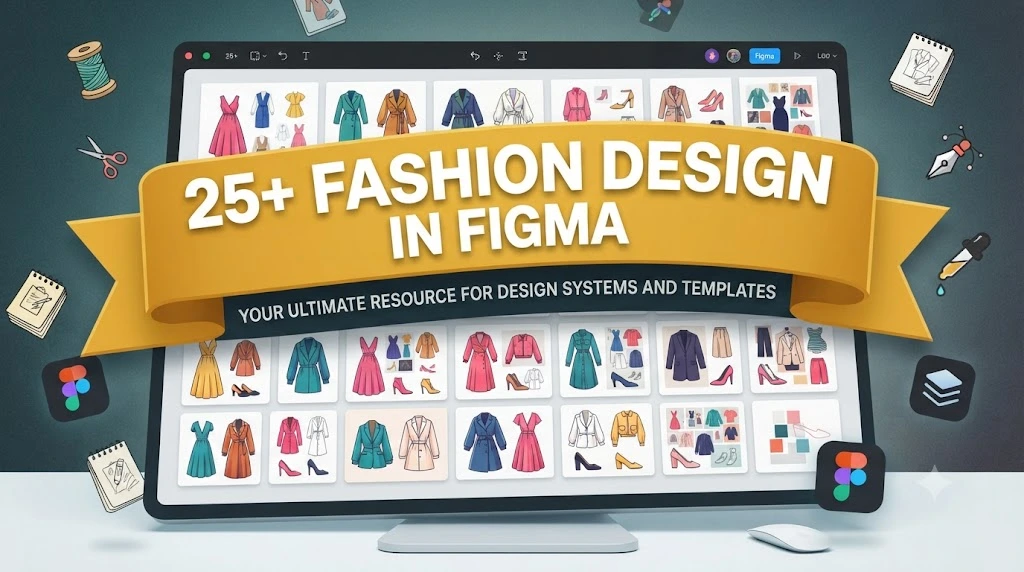
This is where fashion design in figma becomes an exciting opportunity. Although Figma is widely known as a digital design and collaboration tool, creative professionals are discovering new ways to use it for fashion concepts, mood boards, collection planning, and presentation design.
For modern fashion designers, the ability to combine creativity with digital tools is becoming increasingly important. Whether you are a fashion student preparing a portfolio, a clothing brand owner developing a new collection, or a stylist planning a visual concept, Figma can help you organise ideas and communicate them more effectively.
The biggest advantage of using Figma for fashion is flexibility. You can create design boards, experiment with colours, arrange garment ideas, collaborate with team members, and present your concepts in a polished format without needing expensive professional software.
In this guide, you will learn how fashion design in figma works, how designers use it in real projects, the best techniques to follow, common mistakes to avoid, and how this tool can support your creative journey.
What Is Fashion Design in Figma?
Fashion design in figma refers to using Figma’s digital design features to create, organise, and present fashion-related concepts. While Figma was originally created for interface and graphic design, its flexible workspace makes it useful for many creative industries, including fashion.
Unlike traditional fashion design software that focuses heavily on garment construction or pattern making, Figma works mainly as a visual design platform. It helps designers communicate ideas rather than replace specialised fashion production tools.
Designers can use Figma for tasks such as:
- Creating fashion mood boards
- Designing collection presentations
- Building digital fashion sketches
- Creating colour palettes
- Organising fabric references
- Planning clothing collections
- Creating brand identity designs
- Preparing fashion portfolios
For example, a designer planning a spring collection can create a Figma board containing inspiration images, fabric textures, colour combinations, garment sketches, and notes about the target customer.
This organised approach makes it easier to see whether the entire collection feels connected.
Expert Tip: Think of Figma as your digital fashion studio for planning, storytelling, and presentation. Use specialised fashion tools when you need advanced pattern creation or garment simulation.
Why Designers Are Using Figma for Fashion Projects
Fashion design is no longer limited to paper sketches and physical samples. Today’s designers need to present ideas quickly, collaborate remotely, and adapt to changing trends. Digital tools help make this process smoother.
Figma has become popular among creative professionals because it combines simplicity with powerful collaboration features.
One major advantage is speed. Instead of creating separate files for inspiration images, colour studies, and presentation layouts, designers can organise everything in one workspace.
Collaboration is another important benefit. Fashion teams often include designers, photographers, marketers, stylists, and manufacturers. Figma allows different people to review ideas and share feedback without sending multiple versions of files.
This is especially useful for:
- Fashion startups
- Independent designers
- Student projects
- Branding teams
- Creative agencies
Imagine a small clothing brand preparing a new collection. The designer can create the visual direction in Figma, the marketing team can review the branding style, and the founder can suggest changes—all within the same project.
This reduces confusion and keeps everyone aligned.
Common Mistake: Some designers use digital tools only for decoration. The real value comes from using them to improve organisation, communication, and decision-making.
How Figma Helps Create Fashion Mood Boards and Concepts
A strong fashion collection usually begins with inspiration. Before designing garments, professionals often collect ideas about colours, textures, shapes, emotions, and customer preferences.
Figma is excellent for creating digital mood boards because it provides a flexible canvas where different visual elements can come together.
A fashion mood board may include:
- Fabric photographs
- Colour samples
- Historical references
- Architecture inspiration
- Nature images
- Typography ideas
- Lifestyle references
- Customer profiles
For example, a designer creating a luxury winter collection might include:
- Dark neutral colours
- Wool textures
- Vintage tailoring references
- Minimal accessories
- Elegant typography
This gives the entire team a clear understanding of the collection’s feeling before individual garments are developed.
A well-organised mood board also helps prevent random design decisions. Every colour, material, and style choice should connect back to the original concept.
Expert Styling Advice: Avoid collecting beautiful images without purpose. Every element on your mood board should answer a question: “How does this support the story of my collection?”
Creating Fashion Sketches and Illustrations in Figma
Although Figma is not a traditional fashion illustration application, designers can still create impressive fashion visuals using its drawing and vector tools.
The platform allows you to create:
- Simple garment outlines
- Flat sketches
- Fashion presentation graphics
- Reusable design elements
- Digital fashion templates
Vector tools are especially useful because they allow designers to create clean shapes that can be resized without losing quality.
For beginners, starting with simple fashion flats is often the best approach. Fashion flats are technical drawings that show garments clearly from the front, back, or side view.
They help communicate details such as:
- Sleeve shape
- Neckline design
- Pocket placement
- Stitching details
- Garment proportions
For example, instead of showing a customer a rough sketch of a jacket, a designer can create a cleaner digital flat in Figma that clearly explains the structure and style.
However, designers should understand the limitations. Figma is excellent for visual communication, but it does not replace advanced fashion illustration or pattern-making software.
Expert Tip: Use Figma to refine presentation quality. A simple sketch can look much more professional when combined with proper spacing, colour organisation, and clear annotations.
Essential Figma Features for Fashion Designers
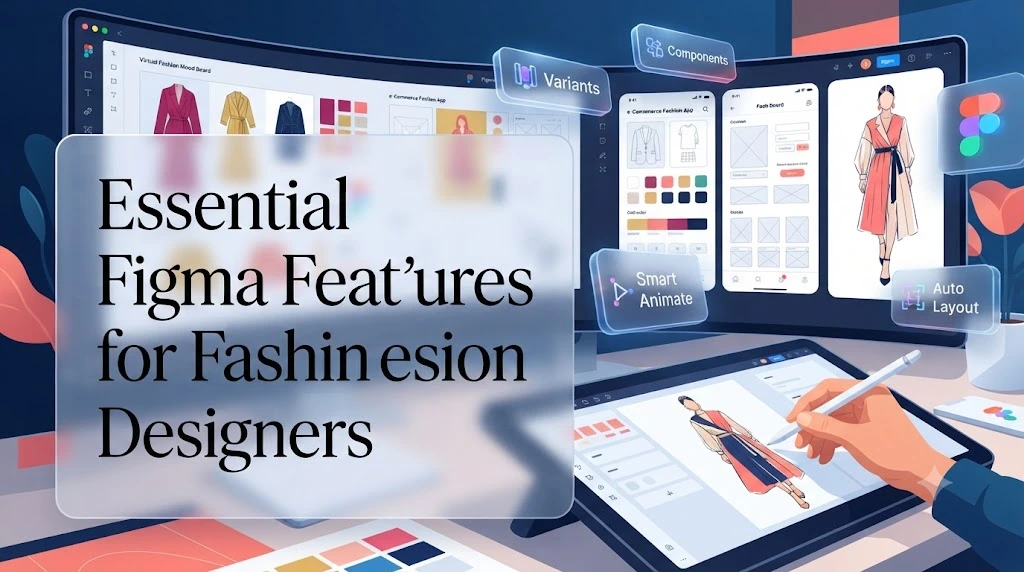
Learning the right features can make your fashion workflow faster and more organised. You do not need to master every tool immediately. Start with the features that directly support your design goals.
Frames
Frames help organise different sections of your project. A designer can create separate frames for:
- Inspiration boards
- Colour palettes
- Garment ideas
- Collection layouts
- Final presentations
This keeps large projects easy to manage.
Components
Components allow you to reuse design elements. For fashion projects, this could include:
- Buttons
- Labels
- Clothing details
- Repeated design elements
- Brand assets
If you update a component, changes can apply across your project automatically.
Layers
Layers help organise different parts of your design. A clean layer structure makes editing faster and prevents confusion.
For example, separate layers for:
- Backgrounds
- Garments
- Text
- Fabric images
- Colour samples
create a more professional workflow.
Vector Tools
Vector tools help create clean shapes and digital illustrations. They are useful for making fashion flats and presentation graphics.
Prototyping Features
Figma’s presentation features allow designers to create interactive fashion presentations. This can be helpful when showcasing a collection to clients or collaborators.
Professional Tip: Create a personal Figma fashion template with your preferred layouts, fonts, colour styles, and presentation formats. This saves time on future projects and creates consistency across your portfolio.
How to Create a Fashion Collection Presentation in Figma
A fashion collection is more than a group of garments. It is a visual story that shows the designer’s inspiration, creative direction, and understanding of the customer. A strong presentation helps people connect with the idea behind the clothing before they even see the final products.
Using fashion design in figma, designers can create professional collection presentations that combine images, sketches, colours, textures, and written explanations in one organised space.
A well-designed fashion presentation usually includes:
- Collection title and concept
- Inspiration images
- Mood board
- Colour palette
- Fabric references
- Garment sketches
- Styling suggestions
- Target audience information
- Final collection overview
For example, imagine creating a resort wear collection inspired by coastal landscapes. Your Figma presentation could include ocean-inspired colours, lightweight fabric references, relaxed silhouettes, and lifestyle images showing how customers might wear the pieces.
This approach helps viewers understand the complete vision rather than looking at individual designs without context.
Expert Styling Advice: Always design presentations with the viewer in mind. A buyer, client, or teacher should understand your collection within a few minutes without needing extra explanation.
Using Figma Templates for Fashion Design Projects
Creating every design layout from the beginning can take valuable time away from creativity. Figma templates help designers start with an organised structure and focus more on developing their fashion ideas.
Fashion templates can include ready-made layouts for:
- Portfolio pages
- Lookbooks
- Brand presentations
- Mood boards
- Line sheets
- Collection plans
For beginners, templates are especially helpful because they teach basic design organisation. You can study how professional layouts use spacing, typography, colours, and images.
However, templates should be treated as a starting point, not a final solution.
A common mistake is using a template exactly as it appears. This can make your project feel generic and less connected to your personal style.
Instead, customise important elements:
- Change the colour system
- Adjust typography
- Add your own visual identity
- Modify layouts
- Include original design work
For example, a minimalist fashion brand may use clean layouts with neutral colours and simple typography, while a streetwear collection may require bold graphics and stronger visual contrast.
Expert Tip: Build your own reusable Figma fashion template over time. A personal template becomes a creative system that speeds up future projects while maintaining consistency.
Figma vs Traditional Fashion Design Software: Which One Is Better?
Choosing the right design tool depends on what you want to create. Figma offers excellent visual organisation and collaboration, but it serves a different purpose from dedicated fashion software.
Traditional fashion design programs are usually built specifically for:
- Pattern drafting
- Garment construction
- 3D clothing simulation
- Technical specifications
- Production preparation
Figma focuses more on:
- Visual communication
- Presentation design
- Collaboration
- Branding
- Creative planning
Here is a simple comparison:
FeatureFigmaFashion Design SoftwareMood boardsExcellentAvailable in some toolsPortfolio designExcellentLimitedTeam collaborationExcellentVariesPattern makingLimitedAdvanced3D garment simulationNot the main focusOften availableBrand presentationsExcellentBasic to moderate
The best approach for many designers is using both types of tools together.
For example:
- Create garment concepts using fashion illustration or 3D software.
- Organise the collection story in Figma.
- Present the final concept to clients or manufacturers.
This combined workflow gives designers both technical accuracy and professional presentation quality.
Expert Recommendation: Do not choose software based only on popularity. Choose tools based on the specific stage of your design process.
How Fashion Teams Collaborate Using Figma
Modern fashion projects often involve many people. A collection may include designers, stylists, photographers, marketing specialists, and business partners. Clear communication becomes essential when multiple people contribute to one creative vision.
Figma supports teamwork by allowing people to review and edit projects together.
Fashion teams can use it for:
- Sharing design concepts
- Reviewing collection directions
- Adding comments
- Organising feedback
- Managing revisions
For example, a fashion designer can upload a new clothing concept, a stylist can suggest accessory options, and a marketing team member can recommend changes to the presentation style.
Everyone sees the same updated version, reducing confusion caused by multiple files and outdated documents.
This is especially valuable for remote fashion businesses. Teams can collaborate across different cities or countries without needing to meet physically.
A professional workflow might look like this:
Common Mistake: Allowing too many people to make random changes without clear roles. Collaboration works best when everyone understands their responsibility.
Building a Professional Fashion Portfolio with Figma
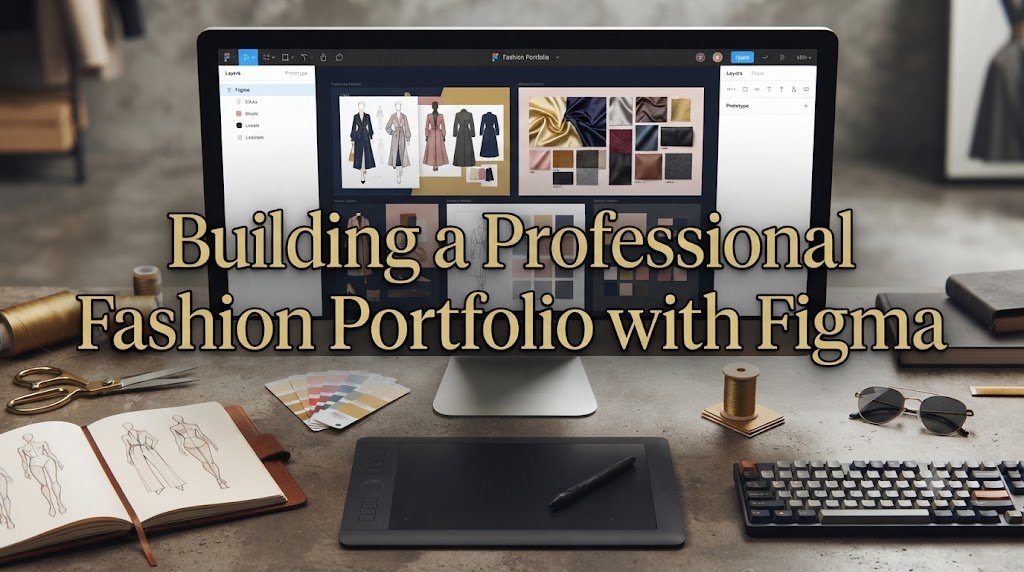
A fashion portfolio represents your skills, creativity, and design thinking. Whether you are applying for fashion school, searching for a job, or attracting clients, your portfolio often creates the first impression.
Figma is a powerful tool for creating digital portfolios because it allows you to combine visuals and storytelling in a clean format.
A strong fashion portfolio should include:
Introduction Page
Start with a short introduction about yourself, your design interests, and your creative approach.
Design Process
Show how your ideas develop. Include:
- Inspiration research
- Sketch development
- Fabric choices
- Colour exploration
- Final concepts
Finished Projects
Present complete collections instead of isolated designs. A collection shows that you understand consistency and creative direction.
Technical Details
Including technical information demonstrates professional knowledge.
Examples include:
- Garment descriptions
- Material choices
- Construction notes
- Styling suggestions
Personal Design Identity
Your portfolio should show what makes your work different. Maybe you focus on sustainable fashion, bold colours, traditional techniques, minimalist designs, or experimental silhouettes.
Figma helps arrange all these elements into a polished visual experience.
Expert Styling Advice: Avoid overcrowding your portfolio. A simple, clean layout often makes your designs appear more professional than a page filled with too many images and details.
Advanced Figma Techniques for Fashion Designers
Once you understand the basics of fashion design in figma, you can start exploring advanced techniques that make your workflow faster and your presentations more professional.
Experienced designers rarely create every element from scratch. Instead, they build organised systems that allow them to focus more energy on creativity.
One useful technique is creating a personal design library. This library can include reusable elements such as:
- Clothing labels
- Buttons and accessories
- Fabric textures
- Colour palettes
- Typography styles
- Presentation layouts
- Brand elements
Having these resources ready saves time when developing new collections.
Another advanced technique is using consistent design systems. A fashion brand should have a clear visual identity, and Figma makes it easier to maintain that consistency.
For example, a luxury fashion brand may use:
- Neutral colours
- Elegant typography
- Spacious layouts
- Minimal graphics
A streetwear brand may prefer:
- Strong contrasts
- Bold fonts
- Dynamic compositions
- Urban-inspired visuals
The design system should match the personality of the clothing.
Expert Tip: Spend time organising your Figma workspace. A clean file structure improves creativity because you spend less time searching and more time designing.
Common Mistakes to Avoid When Using Figma for Fashion Design
While Figma is simple to learn, designers can still make mistakes that reduce the quality of their projects. Understanding these problems early helps you create stronger presentations.
Creating Overcrowded Designs
One of the most common mistakes is adding too many images, colours, and details to one page.
A fashion presentation should guide the viewer’s attention. If everything looks important, nothing stands out.
Instead:
- Use enough empty space
- Highlight key visuals
- Keep text short
- Arrange elements carefully
Ignoring Image Quality
Fashion relies heavily on visuals. Low-quality images can make even a great concept look unprofessional.
Always use clear images for:
- Fabrics
- Garments
- Inspiration references
- Product photography
Using Too Many Fonts
Mixing many different fonts can make your portfolio look inconsistent.
A professional presentation usually works best with:
- One main heading font
- One supporting text font
- Clear size differences
Forgetting the Target Audience
A design should communicate with a specific audience.
A collection created for young streetwear customers should not have the same visual style as a luxury eveningwear collection.
Before designing your presentation, ask:
- Who will wear these clothes?
- What lifestyle do they have?
- What emotions should the collection create?
Treating Figma as a Replacement for Everything
Figma is powerful, but it has limits.
It is excellent for planning, presentation, and visual communication. However, advanced garment engineering may require specialised fashion software.
Expert Recommendation: Use Figma as part of a larger creative workflow instead of expecting one tool to handle every fashion task.
How Students Can Use Figma to Learn Fashion Design
Fashion students often need to manage multiple projects, research assignments, and portfolio requirements. Figma can make this process more organised and professional.
Students can use it to create:
- Digital sketchbooks
- Research boards
- Fashion history presentations
- Collection development pages
- Portfolio layouts
- Design journals
For example, a student studying sustainable fashion could create a Figma project showing:
- Eco-friendly fabric research
- Sustainable brands
- Colour inspiration
- Garment concepts
- Production ideas
This creates a complete visual story instead of a collection of disconnected images.
Figma also helps students develop presentation skills. In the fashion industry, having a good idea is important, but explaining that idea clearly is equally valuable.
Many design schools evaluate not only the final garment concept but also the thinking process behind it.
Learning Exercise: Choose a fashion theme each month and create a complete digital collection board. This practice improves creativity, organisation, and presentation ability.
The Role of Figma in Modern Fashion Branding and Marketing
Fashion is not only about designing clothes. Successful brands also need strong visual communication. Customers often experience a brand through websites, social media, campaigns, and digital presentations before they ever touch a garment.
Figma helps fashion businesses develop consistent brand visuals.
Design teams can create:
- Logo concepts
- Packaging ideas
- Social media layouts
- Website designs
- Campaign presentations
- Lookbooks
For example, a new fashion label launching its first collection can use Figma to plan its entire visual identity. The team can decide how product images, colours, fonts, and marketing materials should work together.
This connection between design and branding is increasingly important because customers buy stories as much as products.
A strong fashion brand communicates:
- Who it represents
- What values it supports
- What lifestyle it promotes
- Why customers should choose it
Expert Styling Advice: Great branding should support the clothing, not distract from it. The visual identity should make the garments feel more desirable and memorable.
Future of Fashion Design in Figma and Digital Creative Tools
The fashion industry continues to move toward digital workflows. Designers are combining creativity with technology to create faster, more sustainable, and more collaborative processes.
Tools like Figma represent a shift toward connected design environments where ideas can move easily between different teams.
Future fashion workflows will likely include stronger connections between:
- Digital design platforms
- 3D garment software
- Artificial intelligence tools
- Online marketplaces
- Sustainable production systems
Artificial intelligence may help designers generate inspiration, organise research, and explore variations faster. However, human creativity will remain the foundation of meaningful fashion design.
A machine can suggest patterns or colours, but it cannot fully understand personal experiences, cultural influences, emotions, and storytelling.
The designers who succeed will be those who combine technology with a strong creative identity.
Expert Insight: The future of fashion belongs to designers who understand both traditional craftsmanship and modern digital tools.
How to Build a Professional Workflow Using Figma for Fashion Design
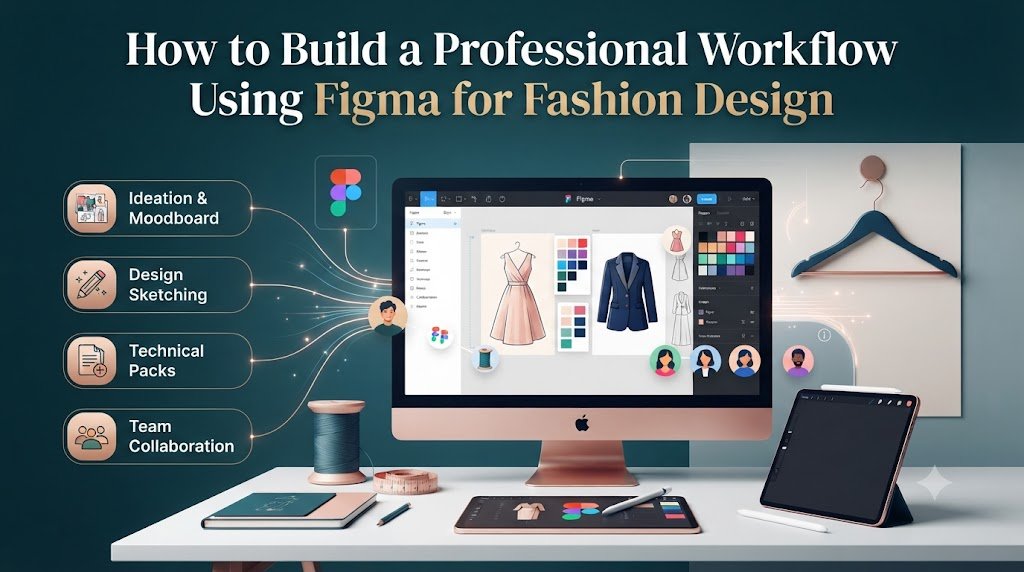
A strong workflow helps designers stay creative while avoiding unnecessary confusion. Instead of randomly collecting ideas, professionals follow a structured process.
A practical Figma fashion workflow may look like this:
Step 1: Research and Inspiration
Begin by collecting references related to:
- Customer preferences
- Current trends
- Historical influences
- Materials
- Colours
- Lifestyle ideas
Step 2: Create a Concept Board
Organise your research into a clear visual direction. This becomes the foundation of your collection.
Step 3: Develop Design Ideas
Add sketches, garment details, fabric choices, and styling notes.
Step 4: Review and Improve
Look at the collection as a whole. Check whether the designs feel connected.
Step 5: Prepare the Final Presentation
Create a professional layout that explains your creative process.
This workflow helps transform random ideas into a complete fashion concept.
Common Mistake: Starting with final designs before understanding the collection theme. Strong designers usually spend time developing the concept before creating finished pieces.
Conclusion
Fashion design in figma offers designers a modern way to organise ideas, create professional presentations, and communicate creative visions clearly. While Figma does not replace specialised fashion software for tasks like advanced pattern making or garment simulation, it provides powerful tools for planning, collaboration, branding, and portfolio development.
From students creating their first collections to professional designers managing creative projects, Figma can improve the way fashion ideas are developed and presented. Its greatest strength lies in bringing different parts of the creative process together in one flexible workspace.
The most successful designers do not depend on tools alone. They combine technology with observation, creativity, technical understanding, and a clear personal style. Figma can support your journey, but your unique perspective is what gives your designs meaning.
As fashion continues to become more digital, learning tools like Figma can give designers an important advantage. Start with simple projects, practise consistently, and continue building your skills. A well-organised digital workspace can become the place where your next great fashion idea begins.
Frequently Asked Questions (FAQs)
1. Can Figma be used for fashion design?
Yes, Figma can be used for fashion design planning, mood boards, collection presentations, portfolios, branding, and digital fashion concepts. However, it is not designed specifically for advanced pattern making or garment production.
2. Is Figma good for fashion students?
Yes. Fashion students can use Figma to organise research, create digital portfolios, present collections, build mood boards, and improve their design communication skills.
3. Can I create fashion sketches in Figma?
Yes. Figma’s vector tools allow designers to create simple fashion sketches, fashion flats, and presentation graphics. For highly detailed illustrations, specialised drawing applications may provide more advanced features.
4. What is the difference between Figma and fashion design software?
Figma focuses on visual design, collaboration, and presentation, while fashion design software usually focuses on technical tasks such as pattern drafting, garment simulation, and manufacturing preparation.
5. How can I use Figma to create a fashion portfolio?
You can use Figma to organise your sketches, mood boards, design process, garment concepts, colour palettes, and final collection presentations into a professional digital portfolio.
6. Do professional fashion designers use Figma?
Yes. Many creative professionals use Figma for branding, collaboration, presentations, and organising fashion concepts. It is especially useful for teams working across different locations.
7. Is learning Figma useful for a fashion career?
Yes. Digital skills are becoming increasingly valuable in fashion. Learning Figma can help designers communicate ideas better, collaborate with teams, and create professional presentations for clients or employers.