Great fashion ideas rarely arrive when you’re sitting at a desk with a sketchbook. They often appear while you’re waiting for coffee, walking through a busy street, or scrolling through inspiring outfits online. In those moments, having the right fashion design app on your phone or tablet can make the difference between capturing a brilliant idea and forgetting it forever.
Fashion design has changed dramatically over the last decade. Designers no longer rely only on pencils, paper patterns, and physical mood boards. Today, digital tools help create sketches, experiment with fabrics, organize collections, and even prepare professional presentations—all from a single device.
Whether you’re a fashion student learning the basics, an aspiring designer building your first collection, or an experienced professional looking to speed up your workflow, choosing the right app can save time and unlock new creative possibilities. The best fashion design apps don’t replace creativity—they make it easier to express.
After exploring various digital design tools and observing how designers integrate them into their daily work, one thing becomes clear: the most useful app isn’t always the one with the most features. It’s the one that fits your creative process and helps bring your ideas to life more efficiently.
What Are Fashion Design Apps?
Fashion design apps are digital tools that help designers plan, create, edit, and organize clothing designs. Depending on the app, you can sketch garments, build mood boards, select color palettes, create technical drawings, manage fabric libraries, or even develop complete fashion collections.
These apps serve different purposes throughout the design process, including:
- Digital sketching
- Fashion illustration
- Pattern planning
- Color exploration
- Fabric visualization
- Collection organization
- Portfolio creation
- Client presentations
Some apps are designed for beginners with simple drawing tools, while others offer advanced features used by professional designers working on commercial collections.
The goal is the same: make the creative process faster, more organized, and easier to refine.
Why Fashion Design Apps Have Become Essential
The fashion industry moves quickly. Designers often work under tight deadlines, manage multiple projects, and communicate with teams across different locations. Digital tools make these tasks much more efficient.
Instead of carrying sketchbooks, fabric samples, and printed references everywhere, designers can store everything in one place.
Fashion design apps offer several advantages:
- Faster concept development
- Easy editing without starting over
- Better organization of ideas
- Improved collaboration with clients and teams
- Access to designs from multiple devices
- Professional presentations for portfolios
Imagine sketching a jacket during your morning commute, refining the design during lunch, and sharing it with a client before the end of the day. That level of flexibility simply wasn’t possible a few years ago.
Expert Tip: Even if you enjoy traditional sketching, combining paper drawings with digital editing often creates a smoother and more efficient workflow.
Key Features to Look for in Fashion Design Apps
Not every app offers the same capabilities. Before downloading one, think about how you plan to use it. The best choice depends on your experience level and creative goals.
Here are some features worth considering.
Digital Sketching Tools
Smooth drawing tools allow you to create fashion illustrations with precision. Look for adjustable brushes, pressure sensitivity, layers, and customizable pens.
These features make sketching feel more natural, especially when using a stylus.
Clothing Templates
Many apps include ready-made fashion figures and garment templates.
These save time by allowing you to focus on the design instead of drawing body proportions from scratch.
Color Palette Support
Experimenting with different colors becomes much easier when an app lets you test combinations instantly.
You can compare multiple versions of the same outfit before making a final decision.
Fabric Visualization
Some advanced apps simulate how different fabrics drape and move.
This helps designers better understand how materials may look in real garments.
Layer Management
Layers allow you to separate different elements of a design.
For example:
- Base sketch
- Garment outline
- Fabric texture
- Shadows
- Accessories
This makes editing far more efficient than redrawing an entire illustration.
Cloud Storage
Automatic cloud backup protects your work and makes it available across multiple devices.
It’s especially useful when working from both a tablet and a computer.
Recommendation: Don’t choose an app simply because it has the longest feature list. Pick one with tools you’ll actually use regularly.
Best Types of Fashion Design Apps for Different Users
Different designers have different needs. A student learning illustration doesn’t require the same tools as a professional preparing production-ready designs.
Understanding these categories helps narrow your choices.
Apps for Beginners
Beginner-friendly apps focus on simplicity.
They usually offer:
- Easy drawing tools
- Basic templates
- Simple color options
- User-friendly interfaces
These apps are ideal for learning digital fashion illustration without feeling overwhelmed.
Apps for Fashion Students
Students often benefit from apps that combine creativity with organization.
Helpful features include:
- Mood boards
- Project folders
- Annotation tools
- Presentation layouts
- Color libraries
These tools support both classroom assignments and portfolio development.
Professional Fashion Design Apps
Professional designers often require advanced capabilities such as:
- Technical flat sketches
- Layer-based editing
- Fabric simulation
- Vector illustration
- Production-ready exports
- Team collaboration
These features streamline communication between designers, manufacturers, and clients.
Fashion Illustration Apps
Some apps focus almost entirely on artistic expression.
They’re perfect for creating:
- Editorial illustrations
- Character designs
- Fashion concepts
- Digital paintings
- Social media artwork
These apps prioritize creativity over technical garment production.
Common Mistake: Beginners sometimes download highly advanced software expecting instant results. In reality, starting with a simpler app often builds confidence faster and creates a stronger foundation for learning.
Best Fashion Design Apps for Beginners
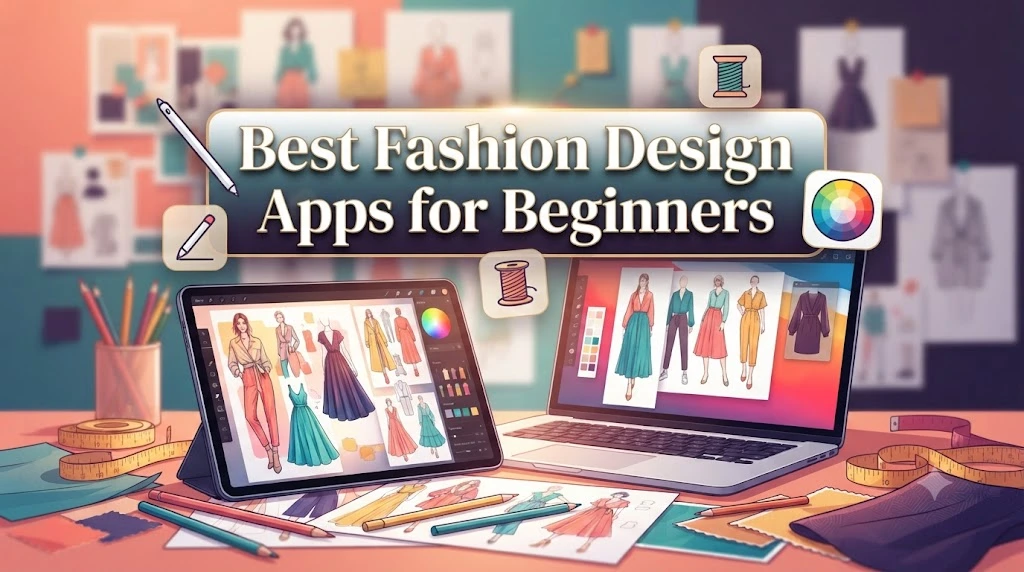
Starting with the right app can make learning fashion design much more enjoyable. Many beginners believe they need expensive software from day one, but that’s rarely true. A simple, easy-to-use app often helps you develop your skills faster because you spend more time creating and less time figuring out complicated menus.
When choosing your first fashion design app, look for tools that encourage experimentation rather than perfection. The goal is to turn ideas into sketches quickly.
Features that are especially helpful for beginners include:
- Easy-to-use drawing tools
- Ready-made fashion croquis (body templates)
- Layer support
- Basic color palettes
- Undo and redo options
- Simple export features
- Cloud backup
A beginner-friendly app should feel intuitive. If you constantly need tutorials just to draw a basic outfit, the software may be too advanced for your current needs.
Expert Tip: Try sketching one complete outfit every day for 30 days. Consistent practice improves your confidence much more than spending hours searching for the “perfect” app.
Fashion Design Apps for Professional Designers
Professional designers need more than digital sketchbooks. They require tools that support the entire creative process, from concept development to production.
Professional fashion design apps help designers:
- Create detailed technical flats
- Build complete seasonal collections
- Organize fabric libraries
- Manage colorways
- Export production-ready files
- Collaborate with manufacturers
- Present designs to clients
Many professionals also integrate their apps into larger workflows that include digital pattern making, textile design, and production planning.
Another important feature is precision. Small details like seam placement, stitching lines, and garment measurements become much easier to manage with professional software.
Recommendation: If you’re planning to work in the fashion industry, choose an app that can grow with your skills. Learning one reliable platform deeply is often more valuable than switching between multiple apps.
Mobile vs Tablet vs Desktop Fashion Design Apps
One of the biggest questions designers ask is which device works best. The answer depends on how and where you like to create.
Mobile Apps
Smartphones are perfect for capturing ideas the moment inspiration strikes.
They’re useful for:
- Quick sketches
- Color inspiration
- Mood board updates
- Fashion notes
- Saving design references
However, smaller screens make detailed illustration more difficult.
Tablet Apps
Many designers consider tablets the ideal balance between portability and precision.
With a stylus, tablets offer:
- Natural drawing experience
- Better control
- Larger workspace
- Comfortable sketching
- Easy editing
For many fashion students and freelancers, a tablet becomes the primary design tool.
Desktop Software
Desktop applications provide the highest level of precision.
They’re ideal for:
- Technical drawings
- Complex illustrations
- Large collections
- Professional presentations
- Production files
Although desktops offer powerful features, they aren’t as convenient for working on the go.
Expert Tip: Many designers combine all three devices. They capture ideas on their phone, refine sketches on a tablet, and complete final production work on a desktop computer.
How Fashion Design Apps Improve Creativity
Some people worry that digital tools limit creativity. In reality, the opposite is often true.
Fashion design apps remove many of the small frustrations that interrupt creative thinking. Instead of starting over after a mistake, you can erase, duplicate, resize, or recolor a design within seconds.
This freedom encourages experimentation.
For example, you might create one jacket design and quickly explore:
- Different sleeve styles
- Multiple necklines
- Various fabric textures
- Seasonal color combinations
- Alternative silhouettes
In traditional sketching, testing all these ideas could take hours.
Digital tools also make inspiration easier to organize. You can save photos, fabric samples, runway references, and color palettes in one place, making it simple to revisit ideas later.
Common Mistake: Some designers spend too much time testing endless variations instead of finishing a design. Creativity grows through exploration, but progress comes from completing projects.
The best habit is to set limits. Explore several ideas, choose the strongest concept, and move forward with confidence.
How Fashion Design Apps Help Students Build Their Skills
Fashion design students often need to learn many skills at the same time. They must understand illustration, garment construction, color theory, styling, and presentation techniques. Fashion design apps can support this learning process by giving students a practical space to practice every day.
Instead of waiting for expensive materials or studio access, students can experiment digitally from almost anywhere.
These apps help students improve skills such as:
- Fashion sketching
- Proportion and body drawing
- Color coordination
- Collection planning
- Visual storytelling
- Portfolio development
For example, a student designing a summer collection can create a digital mood board, test fabric colors, draw multiple outfit variations, and organize the final concepts in one project file.
This process mirrors how many professional designers develop ideas in the real fashion industry.
Expert Tip: Use digital tools as a learning partner, not a shortcut. Understanding garment structure and design principles remains important even when technology makes drawing easier.
Creating Fashion Portfolios Using Digital Design Apps
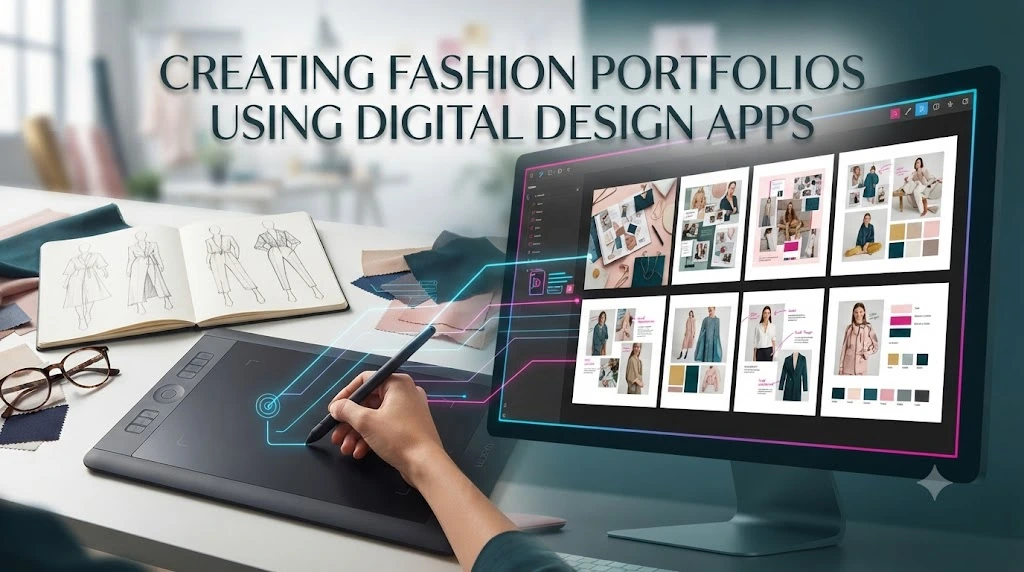
A strong portfolio is one of the most important tools for fashion students and emerging designers. It shows creativity, technical ability, and personal design style.
Fashion design apps make portfolio creation easier because they allow designers to present their work professionally.
A digital fashion portfolio may include:
- Fashion illustrations
- Collection concepts
- Color stories
- Fabric choices
- Technical drawings
- Design explanations
- Inspiration boards
A well-organized portfolio tells a story. Instead of showing random sketches, arrange projects in a way that explains your design journey.
For example:
Step 4: Include final designs and technical details.
This approach helps viewers understand your creative thinking, not just your final artwork.
Recommendation: Keep your portfolio clean and focused. A few strong projects usually create a better impression than many unfinished designs.
How Fashion Design Apps Support Sustainable Fashion
Sustainability has become an important topic in modern fashion. Designers are searching for ways to reduce waste, improve planning, and create more responsible collections.
Digital design tools can support sustainable practices by reducing the need for physical samples during the early stages of development.
Before creating an actual garment, designers can:
- Test different designs digitally
- Experiment with colors
- Adjust silhouettes
- Present concepts virtually
- Reduce unnecessary prototypes
This helps save materials and lowers development costs.
Digital tools also support better decision-making. Designers can compare options before committing to fabric purchases or manufacturing.
For example, a designer creating a jacket collection can test multiple sleeve lengths and color combinations digitally before producing samples.
While technology cannot solve every sustainability challenge, it helps make the design process more thoughtful and efficient.
Common Mistakes When Using Fashion Design Apps
Digital tools can improve creativity, but they can also create challenges if used incorrectly. Many beginners make mistakes that slow down their progress.
Choosing Features Over Usability
A common mistake is selecting the most complex app available.
More features do not always mean better results. If the interface feels confusing, creativity can become frustrating.
Choose an app that matches your current skill level.
Ignoring Traditional Fashion Knowledge
Technology supports design, but it does not replace understanding.
Successful designers still need knowledge of:
- Fabric behavior
- Sewing techniques
- Garment construction
- Fashion history
- Styling principles
A digital sketch becomes stronger when it reflects real-world clothing knowledge.
Overusing Effects
Some beginners add too many colors, textures, filters, or decorative elements.
A professional design usually has a clear focus.
The clothing should remain the main attraction.
Not Organizing Files
Disorganized projects waste time.
Create folders for:
- Different collections
- Inspiration images
- Fabric references
- Completed designs
- Client projects
Good organization is a professional habit.
Expert Tip: Treat your digital workspace like a physical studio. A clean workspace helps you think more clearly.
How to Choose the Right Fashion Design App for Your Needs
With so many options available, selecting the right app can feel overwhelming. The best choice depends on your goals, experience, and design style.
Before choosing an app, ask yourself:
What Do You Want to Create?
If you want to build collections, choose apps with organization and presentation tools.
What Is Your Skill Level?
Beginners should prioritize:
- Simple interfaces
- Learning resources
- Basic design tools
Experienced designers may need:
- Advanced editing
- Professional exports
- Collaboration features
What Is Your Budget?
Many apps offer free versions with basic features. Paid versions usually provide more advanced tools.
A free app can be enough for learning, while professionals may benefit from investing in premium software.
Does It Match Your Workflow?
Think about how you naturally work.
Some designers love detailed planning, while others prefer spontaneous sketching. The right app should support your creative habits.
Recommendation: Test a few options before committing. Spend time creating actual designs rather than only reading feature lists.
How Fashion Design Apps Are Changing the Future of Fashion
The fashion industry has always evolved with technology. From sewing machines to computer-aided design, every innovation has changed how designers create and share their ideas. Today, fashion design apps are becoming an important part of this digital transformation.
Modern designers can develop concepts faster, communicate ideas more clearly, and reach global audiences without traditional limitations.
Some ways technology is shaping the future of fashion include:
- Faster digital prototyping
- Virtual fashion shows
- AI-assisted design suggestions
- Digital clothing collections
- Improved collaboration between global teams
- More personalized shopping experiences
For example, a designer in one country can create a digital collection, share it with a manufacturer in another country, and receive feedback without shipping physical samples.
This saves time, reduces costs, and creates new opportunities for independent designers.
However, creativity remains the heart of fashion. Technology provides new tools, but human imagination, cultural understanding, and personal expression continue to define great design.
Expert Tips for Getting Better Results With Fashion Design Apps
Using a fashion design app effectively requires more than knowing where the buttons are. The best results come from combining technical skills with creative thinking.
Here are practical tips that can improve your digital design process:
Start With a Clear Concept
Before opening your app, define your idea.
Ask yourself:
- Who will wear this design?
- What emotion should it communicate?
- What season or occasion is it for?
- What makes it different?
A clear concept prevents random design choices.
Build a Digital Inspiration Library
Collect references that match your creative direction.
Save:
- Fabric textures
- Color combinations
- Historical fashion references
- Street style looks
- Architectural shapes
- Nature-inspired patterns
Over time, this library becomes a valuable creative resource.
Learn Keyboard Shortcuts and Tools
If you use a professional design app, learning shortcuts can significantly improve your speed.
Small actions like quickly changing layers, duplicating elements, or adjusting colors can save hours during large projects.
Study Real Clothing
Digital sketches should connect with reality.
Observe:
- How fabric falls
- How garments move
- How seams are placed
- How different materials behave
The more you understand real clothing, the more believable your digital designs become.
Practice Regularly
Improvement comes from repetition.
Try creating:
- One quick sketch daily
- One detailed design weekly
- One complete collection concept monthly
Consistent practice develops both creativity and technical confidence.
Expert Tip: Save older designs instead of deleting them. Looking back at previous work helps you measure your growth and identify areas for improvement.
Free vs Paid Fashion Design Apps: Which One Should You Choose?
Many designers wonder whether they should invest in paid software or start with free tools. The answer depends on your goals.
Free fashion design apps can be excellent for:
- Beginners
- Students exploring fashion
- Casual creative projects
- Basic illustrations
They often provide enough features to learn fundamental skills.
Paid apps usually offer additional benefits:
- Advanced drawing tools
- More templates
- Better export options
- Professional features
- Improved workflow efficiency
For someone building a fashion career, investing in reliable software can become worthwhile over time.
However, expensive tools do not automatically create better designs. A skilled designer using a simple app can create stronger work than someone using advanced software without proper design knowledge.
Recommendation: Begin with tools that match your current needs. Upgrade when your skills or professional requirements grow.
Popular Uses of Fashion Design Apps Beyond Clothing Design
Although clothing design is the primary purpose, these apps support many other creative areas within the fashion industry.
Fashion Illustration
Artists use digital tools to create:
- Editorial artwork
- Concept sketches
- Fashion posters
- Social media content
Accessory Design
Designers can create concepts for:
- Handbags
- Shoes
- Jewelry
- Hats
- Eyewear
Textile and Pattern Design
Some digital tools help create:
- Surface patterns
- Prints
- Textile experiments
- Repeat designs
Styling and Wardrobe Planning
Stylists can use digital tools to organize outfit ideas, create visual boards, and plan looks for clients.
Fashion Marketing
Brands use digital designs for:
- Campaign previews
- Product presentations
- Social media planning
This flexibility makes fashion design apps valuable across many areas of the fashion world.
How Fashion Design Apps Help Build a Professional Fashion Career
For aspiring designers, digital skills have become an important part of career development. Many employers and clients expect designers to understand modern creative tools.
Learning fashion design apps can help you:
- Create stronger portfolios
- Present ideas professionally
- Communicate with production teams
- Work faster
- Explore more creative options
A designer who understands both traditional fashion principles and digital technology has a valuable advantage.
For example, during an interview, showing a digital collection with organized sketches, color stories, and technical details demonstrates not only creativity but also professional preparation.
Digital skills also help freelancers. Independent designers can create concepts, market their work online, and collaborate with clients from anywhere.
Final Career Tip: Technology changes quickly, so focus on learning design principles rather than only memorizing software features. Strong creative foundations allow you to adapt to new tools throughout your career.
Conclusion
Fashion design apps have transformed the way people imagine, create, and share fashion ideas. They have made professional-level design tools more accessible to students, independent creators, and experienced designers around the world.
The right app can help you capture inspiration, experiment with new concepts, organize collections, and develop a stronger creative workflow. However, the most important element remains your own vision. Technology can support your creativity, but it cannot replace your personal style, understanding of fashion, and ability to tell a story through clothing.
Whether you are learning fashion illustration, building a professional portfolio, launching a clothing brand, or simply exploring your creativity, digital tools can open exciting possibilities. Start with an app that fits your needs, practice consistently, and use technology as a way to bring your ideas closer to reality.
The future of fashion will continue combining human creativity with digital innovation. Designers who learn to use both will be better prepared to create meaningful, memorable, and successful work.
Frequently Asked Questions (FAQs)
1. What are fashion design apps used for?
Fashion design apps help users create digital clothing sketches, develop collections, experiment with colors, organize ideas, create mood boards, and prepare professional fashion presentations. They are useful for students, hobby designers, and industry professionals.
2. Are fashion design apps suitable for beginners?
Yes, many fashion design apps are designed for beginners. They provide simple drawing tools, templates, and tutorials that help new designers learn digital fashion illustration without needing advanced technical skills.
3. Can I become a fashion designer using only fashion design apps?
Fashion design apps can help you develop important digital skills, but becoming a successful designer also requires knowledge of fabrics, garment construction, styling, trend research, and fashion concepts. Apps are powerful tools, but creativity and fashion knowledge remain essential.
4. Which features should I look for in a fashion design app?
Important features include:
- Digital drawing tools
- Fashion templates
- Layer support
- Color libraries
- Fabric visualization
- Export options
- Cloud storage
- Portfolio creation tools
The best features depend on your personal design goals.
5. Are free fashion design apps good enough?
Free apps can be excellent for beginners and students who want to practice digital design. However, professionals may need paid tools with advanced features for detailed illustrations, technical drawings, and production workflows.
6. Can fashion design apps help create a portfolio?
Yes. Many designers use digital apps to create professional portfolios containing sketches, mood boards, color palettes, technical drawings, and complete collection concepts. A well-organized digital portfolio can help showcase your skills to schools, employers, and clients.
7. How do fashion design apps improve the design process?
Fashion design apps make the creative process faster and more flexible. Designers can test ideas quickly, edit designs easily, organize references, collaborate remotely, and reduce the need for physical samples during early development stages.